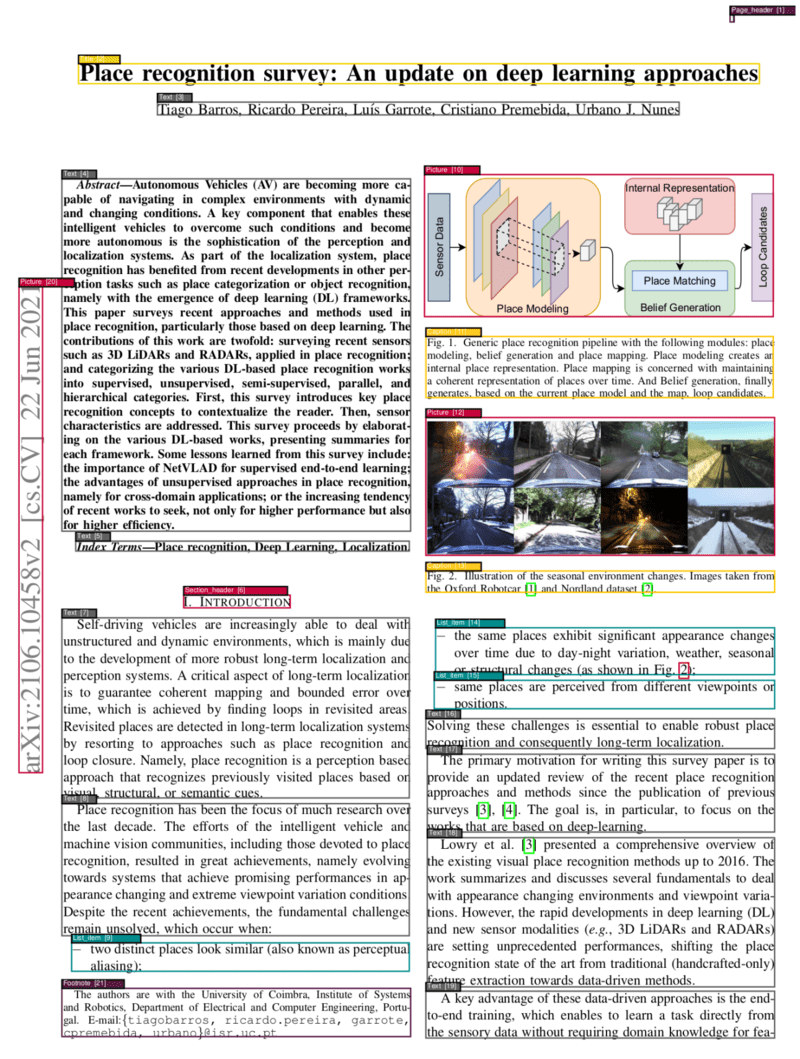
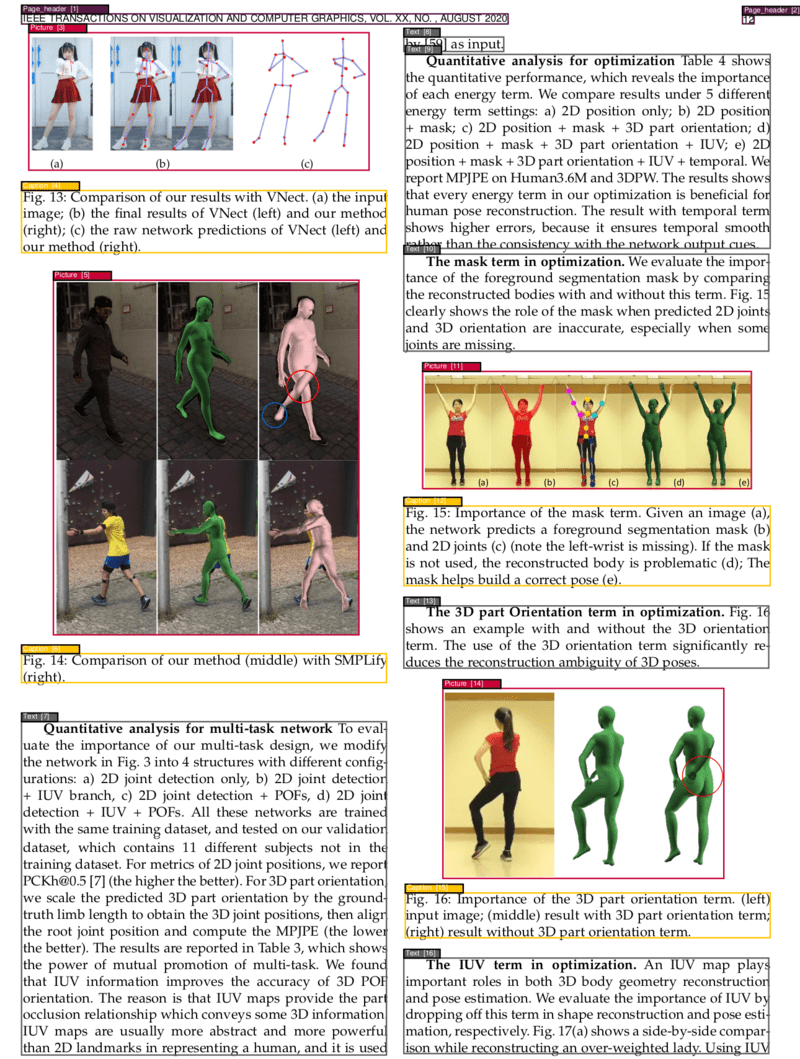
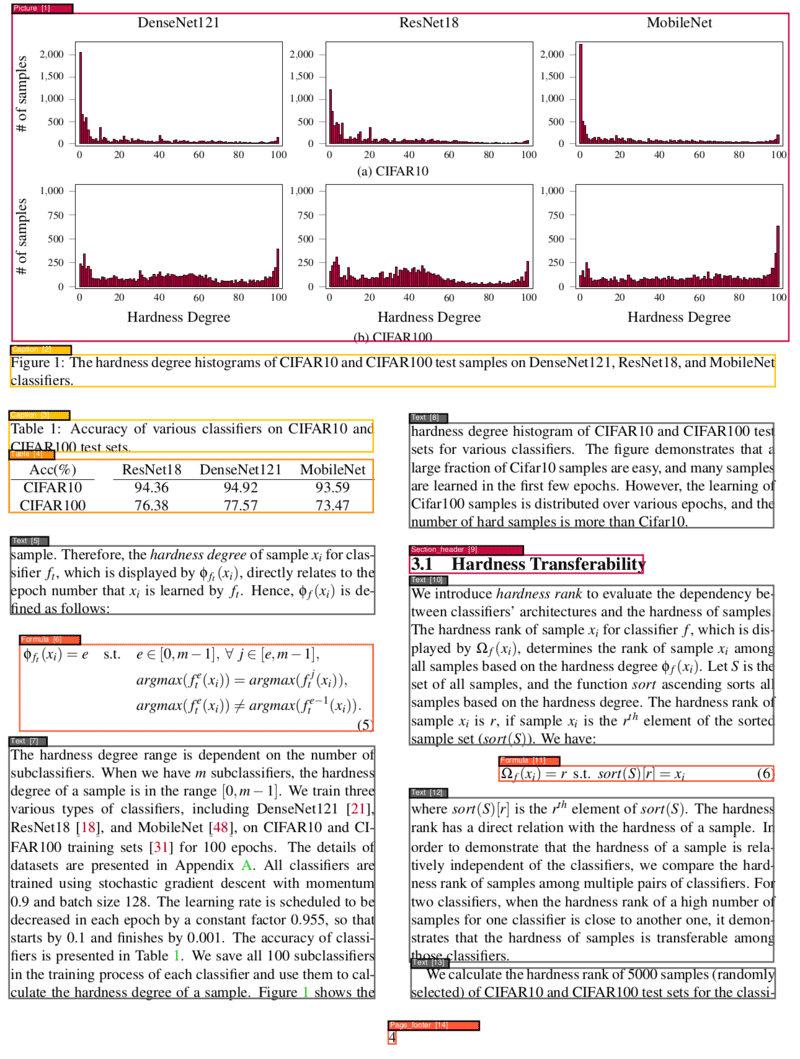
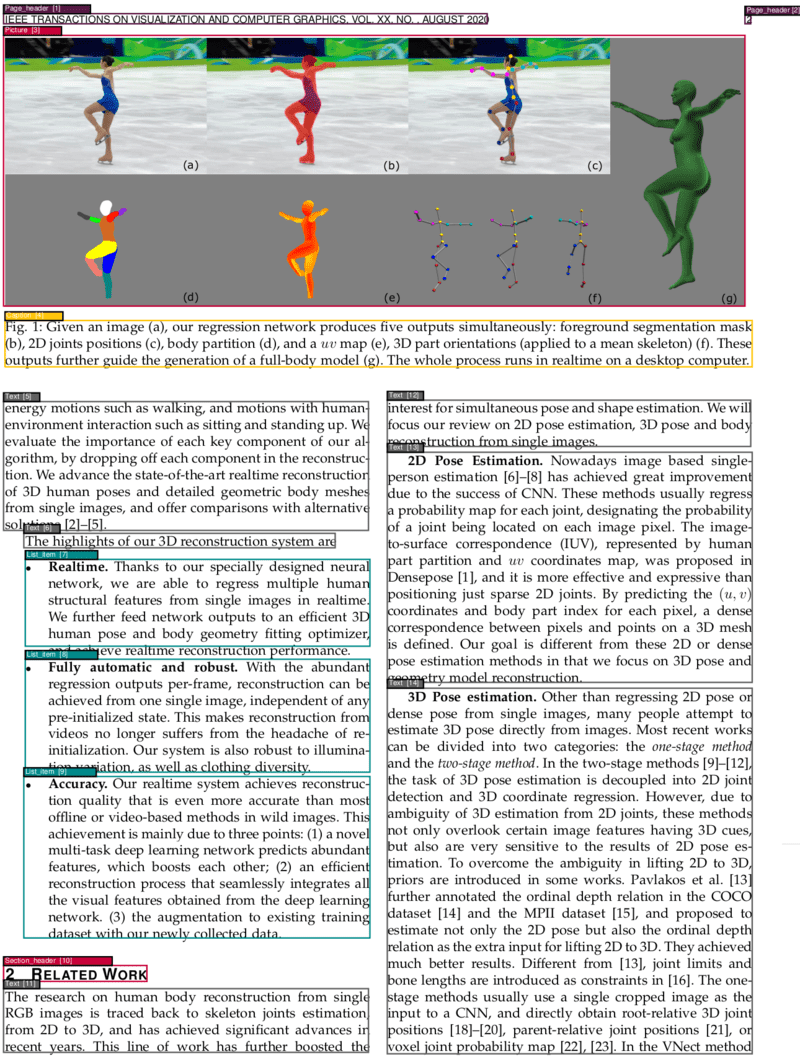
This project provides a powerful and flexible PDF analysis microservice built with Clean Architecture principles. The service enables OCR, segmentation, and classification of different parts of PDF pages, identifying elements such as texts, titles, pictures, tables, formulas, and more. Additionally, it determines the correct reading order of these identified elements and can convert PDFs to various formats including Markdown and HTML with automatic translation support powered by Ollama.
✨ Key Features
🔍 Advanced PDF Layout Analysis - Segment and classify PDF content with high accuracy
🖼️ Visual & Fast Models - Choose between VGT (Vision Grid Transformer) for accuracy or LightGBM for speed
📝 Multi-format Output - Export to JSON, Markdown, HTML, and visualize PDF segmentations
🌍 Automatic Translation - Translate documents to multiple languages using Ollama models
🌐 OCR Support - 150+ language support with Tesseract OCR
📊 Table & Formula Extraction - Extract tables as HTML and formulas as LaTeX
🏗️ Clean Architecture - Modular, testable, and maintainable codebase
🐳 Docker-Ready - Easy deployment with GPU support
⚡ RESTful API - Comprehensive API with 10+ endpoints
Standard PDF Analysis (recommended for most users):
make start
With Translation Features (includes Ollama container):
make start_translation
The service will be available at http://localhost:5060
See all available commands:
make help
Check service status:
curl http://localhost:5060/info
2. Basic PDF Analysis
Analyze a PDF document (VGT model - high accuracy):
curl -X POST -F 'file=@/path/to/your/document.pdf' http://localhost:5060
Fast analysis (LightGBM models - faster processing):
curl -X POST -F 'file=@/path/to/your/document.pdf' -F "fast=true" http://localhost:5060
3. Stop the Service
make stop
💡 Tip: Replace /path/to/your/document.pdf with the actual path to your PDF file. The service will return a JSON response with segmented content and metadata.
📋 Segmentation Data & Translations: Format conversion endpoints automatically include detailed segmentation data in the zip output. The resulting zip file contains:
Original file: The converted document in the requested format
Segmentation data: {filename}_segmentation.json file with information about each detected document segment:
The /markdown and /html endpoints support automatic translation of the converted content into multiple languages using Ollama models.
Translation Requirements:
The specified translation model must be available in Ollama
An output_file must be specified (translations are only included in zip responses)
Supported Translation Models:
Any Ollama-compatible model (e.g., gpt-oss, llama2, mistral, etc.)
Models are automatically downloaded if not present locally
Translation Process:
The service checks if the specified model is available in Ollama
If not available, it attempts to download the model using ollama pull
For each target language, the content is translated while preserving:
Original formatting and structure
Markdown/HTML syntax
Links and references
Image references and tables
Translated files are named: {filename}_{language}.{extension}
Note that the quality of translations mostly depends on the models used. When using smaller models, the output may contain many unexpected or undesired elements. For regular users, we aimed for a balance between performance and quality, so we tested with different models with a reasonable size. The results for gpt-oss were satisfactory, which is why we set it as the default model. If you need something smaller you can also try huihui_ai/hunyuan-mt-abliterated, we saw it gives decent results especially if the text does not have much styling.
Example Translation Output:
document.zip
├── document.md                   # Source text with markdown/html styling
├── document_Spanish.md           # Spanish translation
├── document_French.md            # French translation
├── document_Turkish.md           # Turkish translation
├── document_segmentation.json    # Segmentation information
└── document_pictures/       # (if images present)
    ├── document_1_1.png
    └── document_1_2.png
Most endpoints return JSON with segment information:
json
1[2{3"left":72.0,4"top":84.0,5"width":451.2,6"height":23.04,7"page_number":1,8"page_width":595.32,9"page_height":841.92,10"text":"Document Title",11"type":"Title"12},13{14"left":72.0,15"top":120.0,16"width":451.2,17"height":200.0,18"page_number":1,19"page_width":595.32,20"page_height":841.92,21"text":"This is the main text content...",22"type":"Text"23}24]
Supported Content Types
Caption - Image and table captions
Footnote - Footnote text
Formula - Mathematical formulas
List item - List items and bullet points
Page footer - Footer content
Page header - Header content
Picture - Images and figures
Section header - Section headings
Table - Table content
Text - Regular text paragraphs
Title - Document and section titles
🏗️ Architecture
This project follows Clean Architecture principles, ensuring separation of concerns, testability, and maintainability. The codebase is organized into distinct layers:
Directory Structure
src/
├── domain/                 # Enterprise Business Rules
│   ├── PdfImages.py       # PDF image handling domain logic
│   ├── PdfSegment.py      # PDF segment entity
│   ├── Prediction.py      # ML prediction entity
│   └── SegmentBox.py      # Core segment box entity
├── use_cases/             # Application Business Rules
│   ├── pdf_analysis/      # PDF analysis use case
│   ├── text_extraction/   # Text extraction use case
│   ├── toc_extraction/    # Table of contents extraction
│   ├── visualization/     # PDF visualization use case
│   ├── ocr/              # OCR processing use case
│   ├── markdown_conversion/ # Markdown conversion use case (with translation)
│   └── html_conversion/   # HTML conversion use case (with translation)
├── adapters/              # Interface Adapters
│   ├── infrastructure/    # External service adapters
│   ├── ml/               # Machine learning model adapters
│   ├── storage/          # File storage adapters
│   └── web/              # Web framework adapters
├── ports/                 # Interface definitions
│   ├── services/         # Service interfaces
│   └── repositories/     # Repository interfaces
└── drivers/              # Frameworks & Drivers
    └── web/              # FastAPI application setup
Layer Responsibilities
Domain Layer: Contains core business entities and rules independent of external concerns
Use Cases Layer: Orchestrates domain entities to fulfill specific application requirements
Adapters Layer: Implements interfaces defined by inner layers and adapts external frameworks
Drivers Layer: Contains frameworks, databases, and external agency configurations
Key Benefits
🔄 Dependency Inversion: High-level modules don't depend on low-level modules
🧪 Testability: Easy to unit test business logic in isolation
🔧 Maintainability: Changes to external frameworks don't affect business rules
📈 Scalability: Easy to add new features without modifying existing code
🤖 Models
The service offers two complementary model approaches, each optimized for different use cases:
1. Vision Grid Transformer (VGT) - High Accuracy Model
Overview: A state-of-the-art visual model developed by Alibaba Research Group that "sees" the entire page layout.
Key Features:
🎯 High Accuracy: Best-in-class performance on document layout analysis
👁️ Visual Understanding: Analyzes the entire page context including spatial relationships
Both model types are trained on the comprehensive DocLayNet dataset, a large-scale document layout analysis dataset containing over 80,000 document pages.
Document Categories
The models can identify and classify 11 distinct content types: