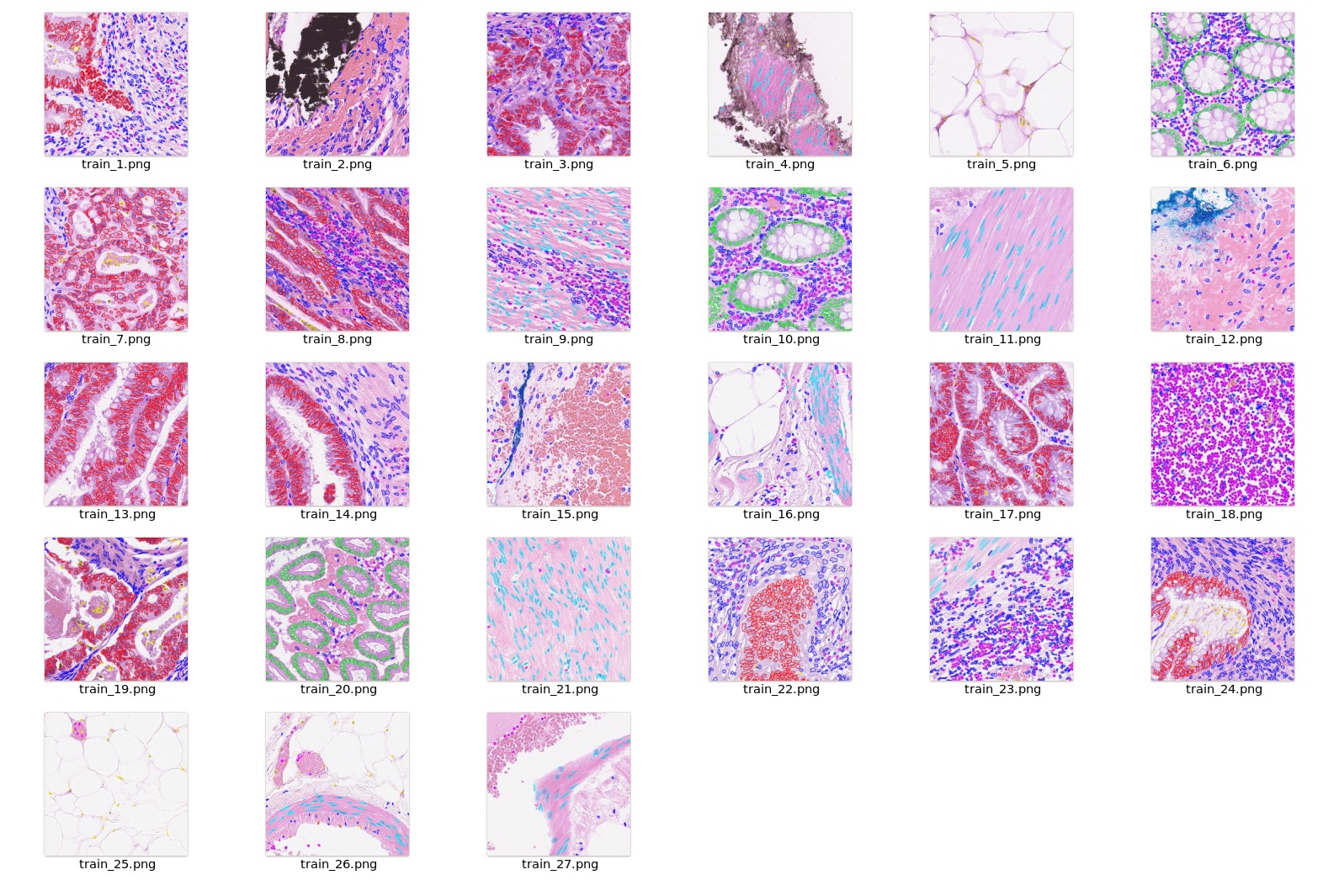
After downloading this dataset,
python script data_process.py from scripts folder can be used to preprocess and generate the final dataset for training.
After generating the output files, please modify the dataset_dir parameter specified in configs/train.json and configs/inference.json to reflect the output folder which contains new dataset.json.
Class values in dataset are
1 = other
2 = inflammatory
3 = healthy epithelial
4 = dysplastic/malignant epithelial
5 = fibroblast
6 = muscle
7 = endothelial
As part of pre-processing, the following steps are executed.
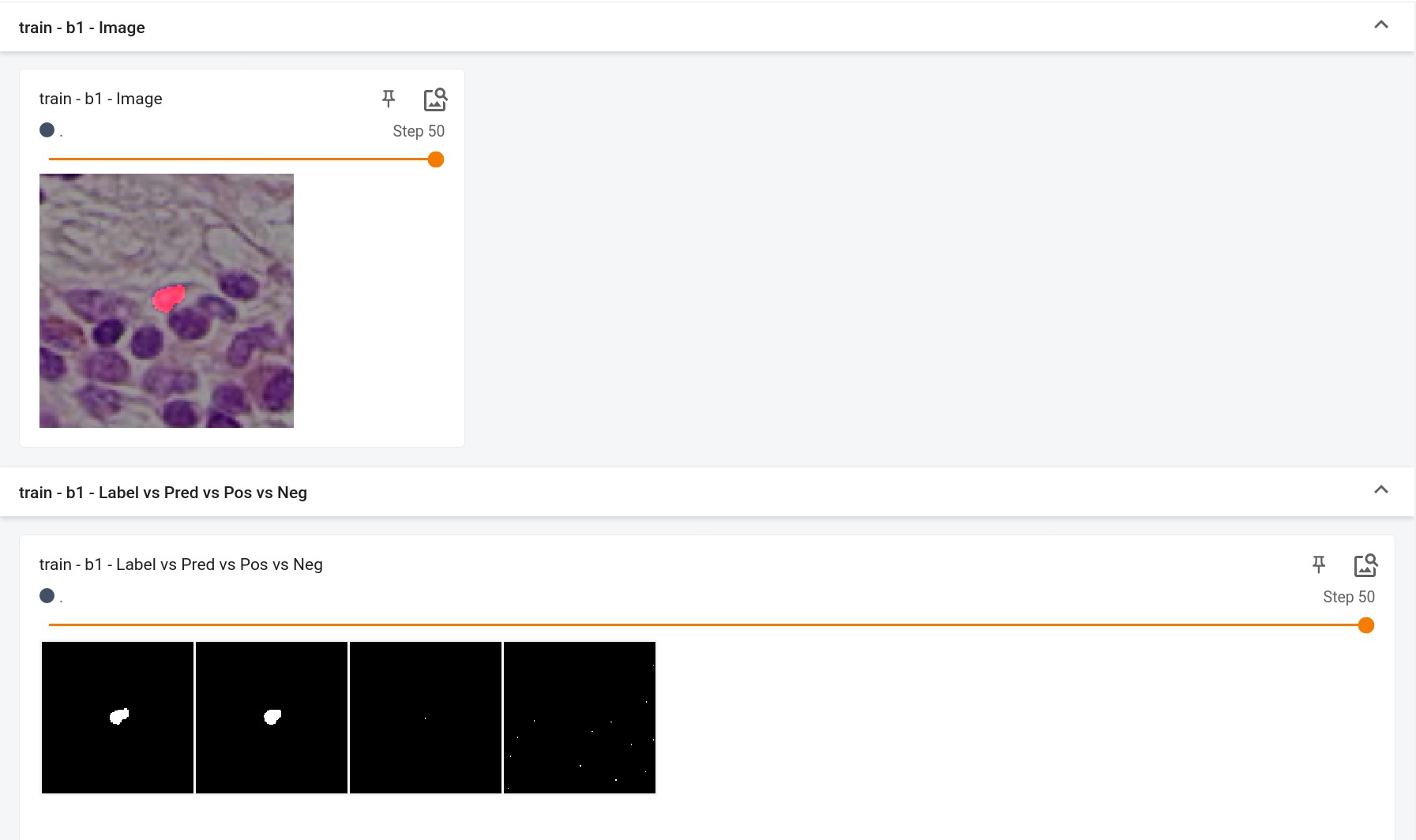
Crop and Extract each nuclei Image + Label (128x128) based on the centroid given in the dataset.
Combine classes 3 & 4 into the epithelial class and 5,6 & 7 into the spindle-shaped class.
Update the label index for the target nuclei based on the class value
Other cells which are part of the patch are modified to have label idx = 255
If you face memory issues with CacheDataset, you can either switch to a regular Dataset class or lower the caching rate cache_rate in the configurations within range [0, 1] to minimize the System RAM requirements.
Input
5 channels
3 RGB channels
+ve signal channel (this nuclei)
-ve signal channel (other nuclei)
Output
2 channels
0 = Background
1 = Nuclei
Performance
This model achieves the following Dice score on the validation data provided as part of the dataset:
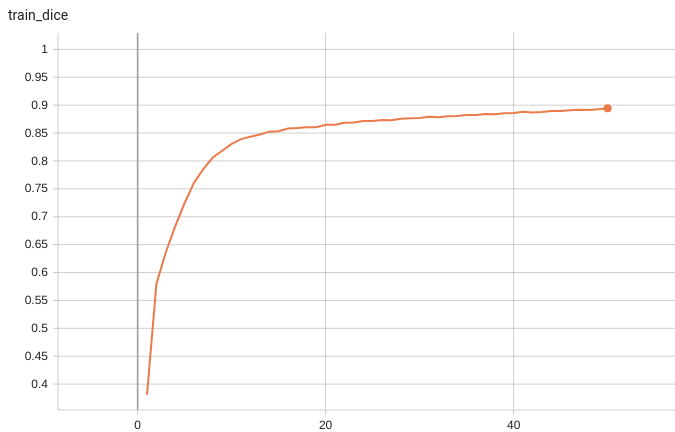
Train Dice score = 0.89
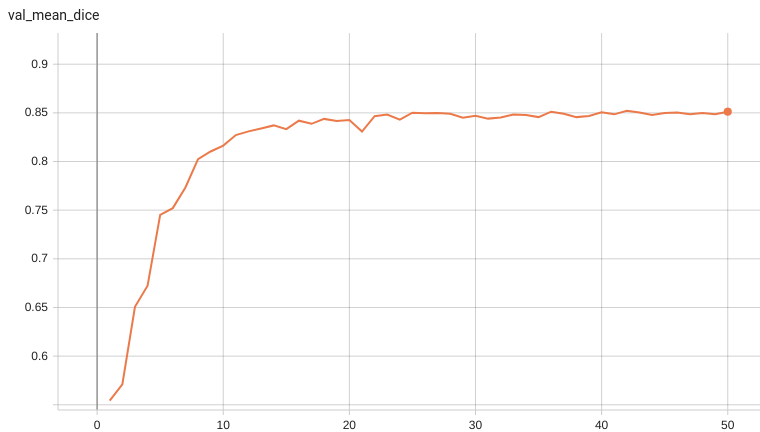
Validation Dice score = 0.85
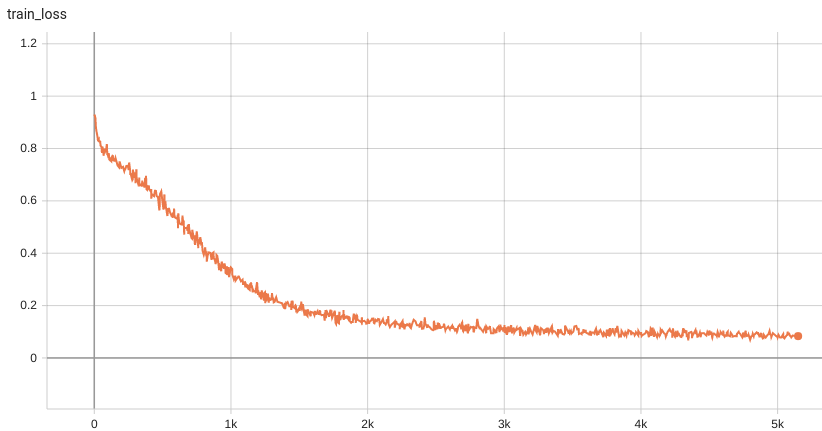
Training Loss and Dice
A graph showing the training Loss and Dice over 50 epochs.
Validation Dice
A graph showing the validation mean Dice over 50 epochs.
MONAI Bundle Commands
In addition to the Pythonic APIs, a few command line interfaces (CLI) are provided to interact with the bundle. The CLI supports flexible use cases, such as overriding configs at runtime and predefining arguments in a file.
python -m monai.bundle run --config_file configs/train.json
Please note that if the default dataset path is not modified with the actual path in the bundle config files, you can also override it by using --dataset_dir:
python -m monai.bundle run --config_file configs/train.json --dataset_dir <actual dataset path>
Override the train config to execute multi-GPU training:
torchrun --standalone --nnodes=1 --nproc_per_node=2 -m monai.bundle run --config_file "['configs/train.json','configs/multi_gpu_train.json']"
Please note that the distributed training-related options depend on the actual running environment; thus, users may need to remove --standalone, modify --nnodes, or do some other necessary changes according to the machine used. For more details, please refer to pytorch's official tutorial.
Override the train config to execute evaluation with the trained model:
python -m monai.bundle run --config_file "['configs/train.json','configs/evaluate.json']"
Override the train config and evaluate config to execute multi-GPU evaluation:
torchrun --standalone --nnodes=1 --nproc_per_node=2 -m monai.bundle run --config_file "['configs/train.json','configs/evaluate.json','configs/multi_gpu_evaluate.json']"
Execute inference:
python -m monai.bundle run --config_file configs/inference.json
References
[1] Koohbanani, Navid Alemi, et al. "NuClick: a deep learning framework for interactive segmentation of microscopic images." Medical Image Analysis 65 (2020): 101771. https://arxiv.org/abs/2005.14511.
[2] S. Graham, Q. D. Vu, S. E. A. Raza, A. Azam, Y-W. Tsang, J. T. Kwak and N. Rajpoot. "HoVer-Net: Simultaneous Segmentation and Classification of Nuclei in Multi-Tissue Histology Images." Medical Image Analysis, Sept. 2019. [doi]
Licensed under the Apache License, Version 2.0 (the "License");
you may not use this file except in compliance with the License.
You may obtain a copy of the License at
http://www.apache.org/licenses/LICENSE-2.0
Unless required by applicable law or agreed to in writing, software
distributed under the License is distributed on an "AS IS" BASIS,
WITHOUT WARRANTIES OR CONDITIONS OF ANY KIND, either express or implied.
See the License for the specific language governing permissions and
limitations under the License.