


Views
No views yet
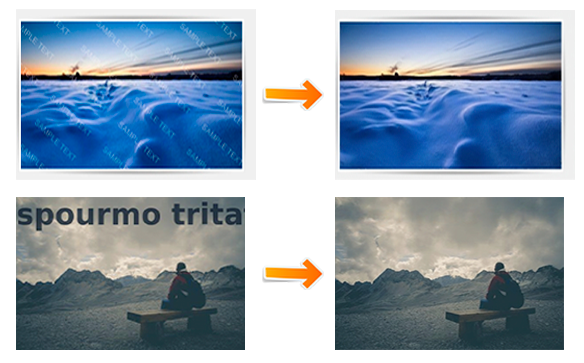
1pip install torch torchvision
2pip install Pillow matplotlib numpypip install -r requirements.txt1import torch
2from torchvision import transforms
3from PIL import Image
4from watermark_remover import WatermarkRemover
5import numpy as np
6
7image_path = "path to your test image" # Replace with the path to your test image
8device = torch.device("cuda" if torch.cuda.is_available() else "cpu")
9
10# Load the trained model
11model = WatermarkRemover().to(device)
12model_path = "path to your model.pth" # Replace with the path to your saved model
13model.load_state_dict(torch.load(model_path, map_location=device))
14model.eval()
15
16transform = transforms.Compose([transforms.Resize((256, 256)),
17 transforms.ToTensor(),])
18watermarked_image = Image.open(image_path).convert("RGB")
19original_size = watermarked_image.size
20input_tensor = transform(watermarked_image).unsqueeze(0).to(device)
21
22with torch.no_grad():
23 output_tensor = model(input_tensor)
24
25predicted_image = output_tensor.squeeze(0).cpu().permute(1, 2, 0).clamp(0, 1).numpy()
26predicted_pil = Image.fromarray((predicted_image * 255).astype(np.uint8))
27predicted_pil = predicted_pil.resize(original_size, Image.Resampling.LANCZOS)
28predicted_pil.save("predicted_image.jpg", quality=100)
29
301@ModelCard{
2 author = {Nehul Agrawal and
3 Priyal Mehta},
4 title = {Watermark Removal Using Neural Networks},
5 year = {2025}
6}