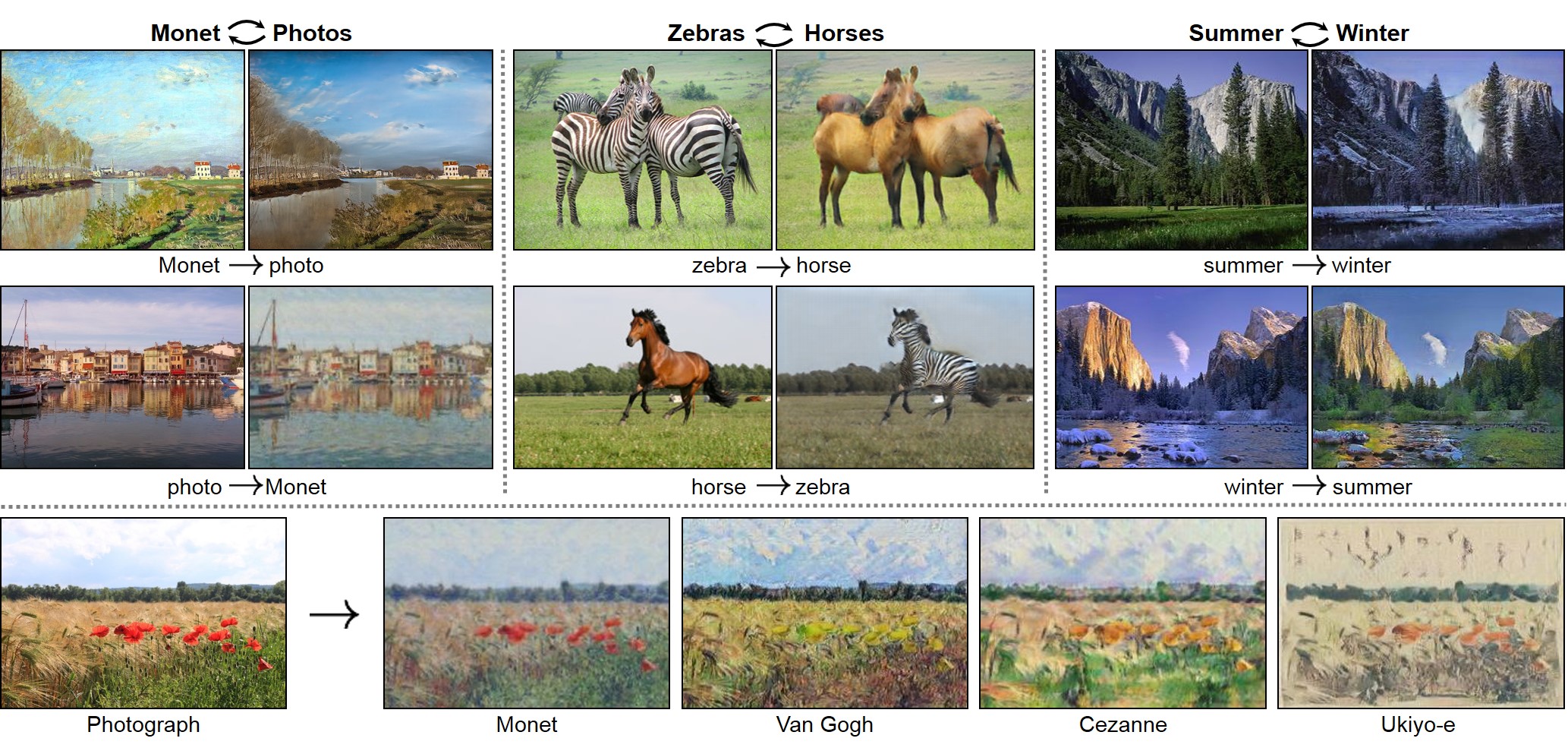
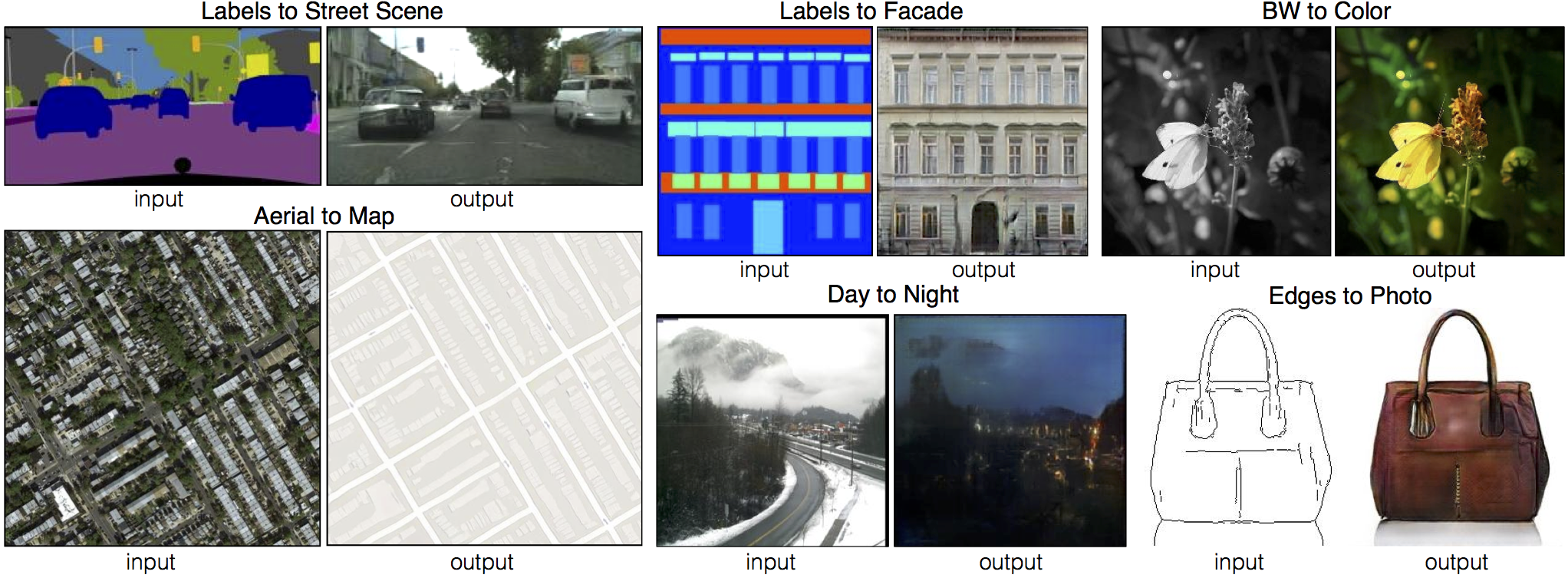
New: Please check out contrastive-unpaired-translation (CUT), our new unpaired image-to-image translation model that enables fast and memory-efficient training.
We provide PyTorch implementations for both unpaired and paired image-to-image translation.
This PyTorch implementation produces results comparable to or better than our original Torch software. If you would like to reproduce the same results as in the papers, check out the original CycleGAN Torch and pix2pix Torch code in Lua/Torch.
Note: The current software works well with PyTorch 1.4. Check out the older branch that supports PyTorch 0.1-0.3.
You may find useful information in training/test tips and frequently asked questions. To implement custom models and datasets, check out our templates. To help users better understand and adapt our codebase, we provide an overview of the code structure of this repository.
CycleGAN course assignment code and handout designed by Prof. Roger Grosse for CSC321 "Intro to Neural Networks and Machine Learning" at University of Toronto. Please contact the instructor if you would like to adopt it in your course.
The test results will be saved to a html file here: ./results/facades_pix2pix/test_latest/index.html. You can find more scripts at scripts directory.
To train and test pix2pix-based colorization models, please add --model colorization and --dataset_mode colorization. See our training tips for more details.
Apply a pre-trained model (CycleGAN)
You can download a pretrained model (e.g. horse2zebra) with the following script:
python test.py --dataroot datasets/horse2zebra/testA --name horse2zebra_pretrained --model test --no_dropout
The option --model test is used for generating results of CycleGAN only for one side. This option will automatically set --dataset_mode single, which only loads the images from one set. On the contrary, using --model cycle_gan requires loading and generating results in both directions, which is sometimes unnecessary. The results will be saved at ./results/. Use --results_dir {directory_path_to_save_result} to specify the results directory.
For pix2pix and your own models, you need to explicitly specify --netG, --norm, --no_dropout to match the generator architecture of the trained model. See this FAQ for more details.
Apply a pre-trained model (pix2pix)
Download a pre-trained model with ./scripts/download_pix2pix_model.sh.
Check here for all the available pix2pix models. For example, if you would like to download label2photo model on the Facades dataset,
Note that we specified --direction BtoA as Facades dataset's A to B direction is photos to labels.
If you would like to apply a pre-trained model to a collection of input images (rather than image pairs), please use --model test option. See ./scripts/test_single.sh for how to apply a model to Facade label maps (stored in the directory facades/testB).
See a list of currently available models at ./scripts/download_pix2pix_model.sh
To help users better understand and use our code, we briefly overview the functionality and implementation of each package and each module.
Pull Request
You are always welcome to contribute to this repository by sending a pull request.
Please run flake8 --ignore E501 . and python ./scripts/test_before_push.py before you commit the code. Please also update the code structure overview accordingly if you add or remove files.
Citation
If you use this code for your research, please cite our papers.
@inproceedings{CycleGAN2017,
  title={Unpaired Image-to-Image Translation using Cycle-Consistent Adversarial Networks},
  author={Zhu, Jun-Yan and Park, Taesung and Isola, Phillip and Efros, Alexei A},
  booktitle={Computer Vision (ICCV), 2017 IEEE International Conference on},
  year={2017}
}


@inproceedings{isola2017image,
  title={Image-to-Image Translation with Conditional Adversarial Networks},
  author={Isola, Phillip and Zhu, Jun-Yan and Zhou, Tinghui and Efros, Alexei A},
  booktitle={Computer Vision and Pattern Recognition (CVPR), 2017 IEEE Conference on},
  year={2017}
}