


Views
No views yet
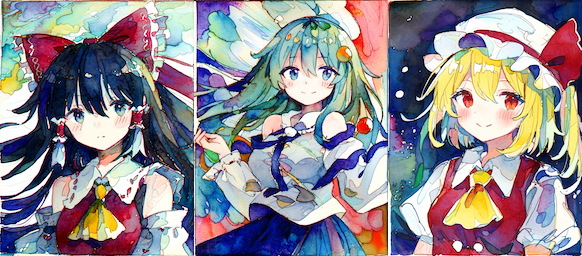
1# make sure you're logged in with `huggingface-cli login`
2from diffusers import StableDiffusionPipeline, DPMSolverMultistepScheduler
3from diffusers.models.autoencoder_kl import AutoencoderKL
4from diffusers.pipelines.stable_diffusion import StableDiffusionPipelineOutput
5import torch
6from torch import Generator, compile
7from PIL import Image
8from typing import List
9
10vae: AutoencoderKL = AutoencoderKL.from_pretrained('hakurei/waifu-diffusion', subfolder='vae', torch_dtype=torch.float16)
11
12# scheduler args documented here:
13# https://github.com/huggingface/diffusers/blob/0392eceba8d42b24fcecc56b2cc1f4582dbefcc4/src/diffusers/schedulers/scheduling_dpmsolver_multistep.py#L83
14scheduler: DPMSolverMultistepScheduler = DPMSolverMultistepScheduler.from_pretrained(
15  'Birchlabs/wd-1-5-beta3-unofficial',
16  subfolder='scheduler',
17  # sde-dpmsolver++ is very new. if your diffusers version doesn't have it: use 'dpmsolver++' instead.
18  algorithm_type='sde-dpmsolver++',
19  solver_order=2,
20  # solver_type='heun' may give a sharper image. Cheng Lu reckons midpoint is better.
21  solver_type='midpoint',
22  use_karras_sigmas=True,
23)
24
25# variant=None
26# variant='ink'
27# variant='mofu'
28variant='radiance'
29# variant='illusion'
30pipe: StableDiffusionPipeline = StableDiffusionPipeline.from_pretrained(
31  'Birchlabs/wd-1-5-beta3-unofficial',
32  torch_dtype=torch.float16,
33  vae=vae,
34  scheduler=scheduler,
35  variant=variant,
36)
37pipe.to('cuda')
38compile(pipe.unet, mode='reduce-overhead')
39
40# WD1.5 was trained on area=896**2 and no side longer than 1152
41sqrt_area=896
42# note: pipeline requires width and height to be multiples of 8
43height = 1024
44width = sqrt_area**2//height
45
46prompt = 'artoria pendragon (fate), reddizen, 1girl, best aesthetic, best quality, blue dress, full body, white shirt, blonde hair, looking at viewer, hair between eyes, floating hair, green eyes, blue ribbon, long sleeves, juliet sleeves, light smile, hair ribbon, outdoors, painting (medium), traditional media'
47negative_prompt = 'lowres, bad anatomy, bad hands, missing fingers, extra fingers, blurry, mutation, deformed face, ugly, bad proportions, monster, cropped, worst quality, jpeg, bad posture, long body, long neck, jpeg artifacts, deleted, bad aesthetic, realistic, real life, instagram'
48
49# pipeline invocation args documented here:
50# https://github.com/huggingface/diffusers/blob/0392eceba8d42b24fcecc56b2cc1f4582dbefcc4/src/diffusers/pipelines/stable_diffusion/pipeline_stable_diffusion.py#LL544C18-L544C18
51out: StableDiffusionPipelineOutput = pipe.__call__(
52  prompt,
53  negative_prompt=negative_prompt,
54  height=height,
55  width=width,
56  num_inference_steps=22,
57  generator=Generator().manual_seed(1234)
58)
59images: List[Image.Image] = out.images
60img, *_ = images
61
62img.save('out_pipe/saber.png')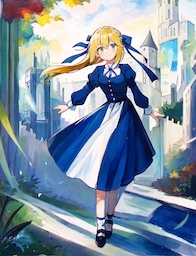
scripts/convert_diffusers20_original_sd.py like so:1python scripts/convert_diffusers20_original_sd.py \
2--fp16 \
3--v2 \
4--unet_use_linear_projection \
5--use_safetensors \
6--reference_model stabilityai/stable-diffusion-2-1 \
7--variant illusion \
8in/wd-1-5-beta3/wd-beta3-base-fp16.safetensors \
9out/wd1-5-b3--variant <whatever> option.vae foldervae folder contains copies of WD 1.4's VAE, to make it easier to load stable-diffusion via diffusers pipelines.vae arg, and load the pipeline like this:1pipe: StableDiffusionPipeline = StableDiffusionPipeline.from_pretrained(
2 'Birchlabs/wd-1-5-beta3-unofficial',
3 torch_dtype=torch.float16,
4 variant='radiance',
5)vae explicitly, to save disk space (i.e. because you already had WD1.4, or because you intend to try multiple variants of WD1.5 and don't want to download VAE duplicates for each variant):1vae: AutoencoderKL = AutoencoderKL.from_pretrained('hakurei/waifu-diffusion', subfolder='vae', torch_dtype=torch.float16)
2
3pipe: StableDiffusionPipeline = StableDiffusionPipeline.from_pretrained(
4 'Birchlabs/wd-1-5-beta3-unofficial',
5 torch_dtype=torch.float16,
6 variant='radiance',
7 vae=vae,
8)