LocalAI is the free, Open Source OpenAI alternative. LocalAI act as a drop-in replacement REST API that's compatible with OpenAI (Elevenlabs, Anthropic... ) API specifications for local AI inferencing. It allows you to run LLMs, generate images, audio (and not only) locally or on-prem with consumer grade hardware, supporting multiple model families. Does not require GPU. It is created and maintained by Ettore Di Giacinto.
📚🆕 Local Stack Family
🆕 LocalAI is now part of a comprehensive suite of AI tools designed to work together:
A powerful Local AI agent management platform that serves as a drop-in replacement for OpenAI's Responses API, enhanced with advanced agentic capabilities.
A REST-ful API and knowledge base management system that provides persistent memory and storage capabilities for AI agents.
Screenshots / Video
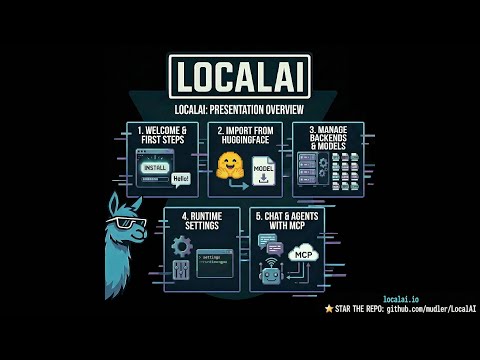
Youtube video
Screenshots
Talk Interface
Generate Audio
Screenshot 2025-03-31 at 12-01-36 LocalAI - Talk
Screenshot 2025-03-31 at 12-01-29 LocalAI - Generate audio with voice-en-us-ryan-low
Models Overview
Generate Images
Screenshot 2025-03-31 at 12-01-20 LocalAI - Models
Screenshot 2025-03-31 at 12-31-41 LocalAI - Generate images with flux 1-dev
Chat Interface
Home
Screenshot 2025-03-31 at 11-57-44 LocalAI - Chat with localai-functioncall-qwen2 5-7b-v0 5
Screenshot 2025-03-31 at 11-57-23 LocalAI API - c2a39e3 (c2a39e3639227cfd94ffffe9f5691239acc275a8)
Login
Swarm
Screenshot 2025-03-31 at 12-09-59
Screenshot 2025-03-31 at 12-10-39 LocalAI - P2P dashboard
💻 Quickstart
⚠️ Note: The install.sh script is currently experiencing issues due to the heavy changes currently undergoing in LocalAI and may produce broken or misconfigured installations. Please use Docker installation (see below) or manual binary installation until issue #8032 is resolved.
docker run creates and starts a new container. If a container with the same name already exists, this command will fail.
docker start starts an existing container that was previously created with docker run.
If you've already run LocalAI before and want to start it again, use: docker start -i local-ai
CPU only image:
docker run -ti --name local-ai -p 8080:8080 localai/localai:latest
NVIDIA GPU Images:
bash
1# CUDA 13.02docker run -ti --name local-ai -p 8080:8080 --gpus all localai/localai:latest-gpu-nvidia-cuda-13
34# CUDA 12.05docker run -ti --name local-ai -p 8080:8080 --gpus all localai/localai:latest-gpu-nvidia-cuda-12
67# NVIDIA Jetson (L4T) ARM648# CUDA 12 (for Nvidia AGX Orin and similar platforms)9docker run -ti --name local-ai -p 8080:8080 --gpus all localai/localai:latest-nvidia-l4t-arm64
1011# CUDA 13 (for Nvidia DGX Spark)12docker run -ti --name local-ai -p 8080:8080 --gpus all localai/localai:latest-nvidia-l4t-arm64-cuda-13
docker run -ti --name local-ai -p 8080:8080 --device=/dev/dri/card1 --device=/dev/dri/renderD128 localai/localai:latest-gpu-intel
Vulkan GPU Images:
docker run -ti --name local-ai -p 8080:8080 localai/localai:latest-gpu-vulkan
AIO Images (pre-downloaded models):
bash
1# CPU version2docker run -ti --name local-ai -p 8080:8080 localai/localai:latest-aio-cpu
34# NVIDIA CUDA 13 version5docker run -ti --name local-ai -p 8080:8080 --gpus all localai/localai:latest-aio-gpu-nvidia-cuda-13
67# NVIDIA CUDA 12 version8docker run -ti --name local-ai -p 8080:8080 --gpus all localai/localai:latest-aio-gpu-nvidia-cuda-12
910# Intel GPU version11docker run -ti --name local-ai -p 8080:8080 localai/localai:latest-aio-gpu-intel
1213# AMD GPU version14docker run -ti --name local-ai -p 8080:8080 --device=/dev/kfd --device=/dev/dri --group-add=video localai/localai:latest-aio-gpu-hipblas
For more information about the AIO images and pre-downloaded models, see Container Documentation.
To load models:
bash
1# From the model gallery (see available models with `local-ai models list`, in the WebUI from the model tab, or visiting https://models.localai.io)2local-ai run llama-3.2-1b-instruct:q4_k_m
3# Start LocalAI with the phi-2 model directly from huggingface4local-ai run huggingface://TheBloke/phi-2-GGUF/phi-2.Q8_0.gguf
5# Install and run a model from the Ollama OCI registry6local-ai run ollama://gemma:2b
7# Run a model from a configuration file8local-ai run https://gist.githubusercontent.com/.../phi-2.yaml
9# Install and run a model from a standard OCI registry (e.g., Docker Hub)10local-ai run oci://localai/phi-2:latest
⚡ Automatic Backend Detection: When you install models from the gallery or YAML files, LocalAI automatically detects your system's GPU capabilities (NVIDIA, AMD, Intel) and downloads the appropriate backend. For advanced configuration options, see GPU Acceleration.
September 2025: New Launcher application for MacOS and Linux, extended support to many backends for Mac and Nvidia L4T devices. Models: Added MLX-Audio, WAN 2.2. WebUI improvements and Python-based backends now ships portable python environments.
July 2025: All backends migrated outside of the main binary. LocalAI is now more lightweight, small, and automatically downloads the required backend to run the model. Read the release notes
May 2025: Audio input and Reranking in llama.cpp backend, Realtime API, Support to Gemma, SmollVLM, and more multimodal models (available in the gallery).
May 2025: Important: image name changes See release
QA-Pilot(An interactive chat project that leverages LocalAI LLMs for rapid understanding and navigation of GitHub code repository) https://github.com/reid41/QA-Pilot
If you utilize this repository, data in a downstream project, please consider citing it with:
@misc{localai,
  author = {Ettore Di Giacinto},
  title = {LocalAI: The free, Open source OpenAI alternative},
  year = {2023},
  publisher = {GitHub},
  journal = {GitHub repository},
  howpublished = {\url{https://github.com/go-skynet/LocalAI}},
❤️ Sponsors
Do you find LocalAI useful?
Support the project by becoming a backer or sponsor. Your logo will show up here with a link to your website.
A huge thank you to our generous sponsors who support this project covering CI expenses, and our Sponsor list:
Individual sponsors
A special thanks to individual sponsors that contributed to the project, a full list is in Github and buymeacoffee, a special shout out goes to drikster80 for being generous. Thank you everyone!