MonkeyOCR adopts a Structure-Recognition-Relation (SRR) triplet paradigm, which simplifies the multi-tool pipeline of modular approaches while avoiding the inefficiency of using large multimodal models for full-page document processing.
MonkeyOCR-pro-1.2B surpasses MonkeyOCR-3B by 7.4% on Chinese documents.
MonkeyOCR-pro-1.2B delivers approximately a 36% speed improvement over MonkeyOCR-pro-3B, with approximately 1.6% drop in performance.
On olmOCR-Bench, MonkeyOCR-pro-1.2B outperforms Nanonets-OCR-3B by 7.3%.
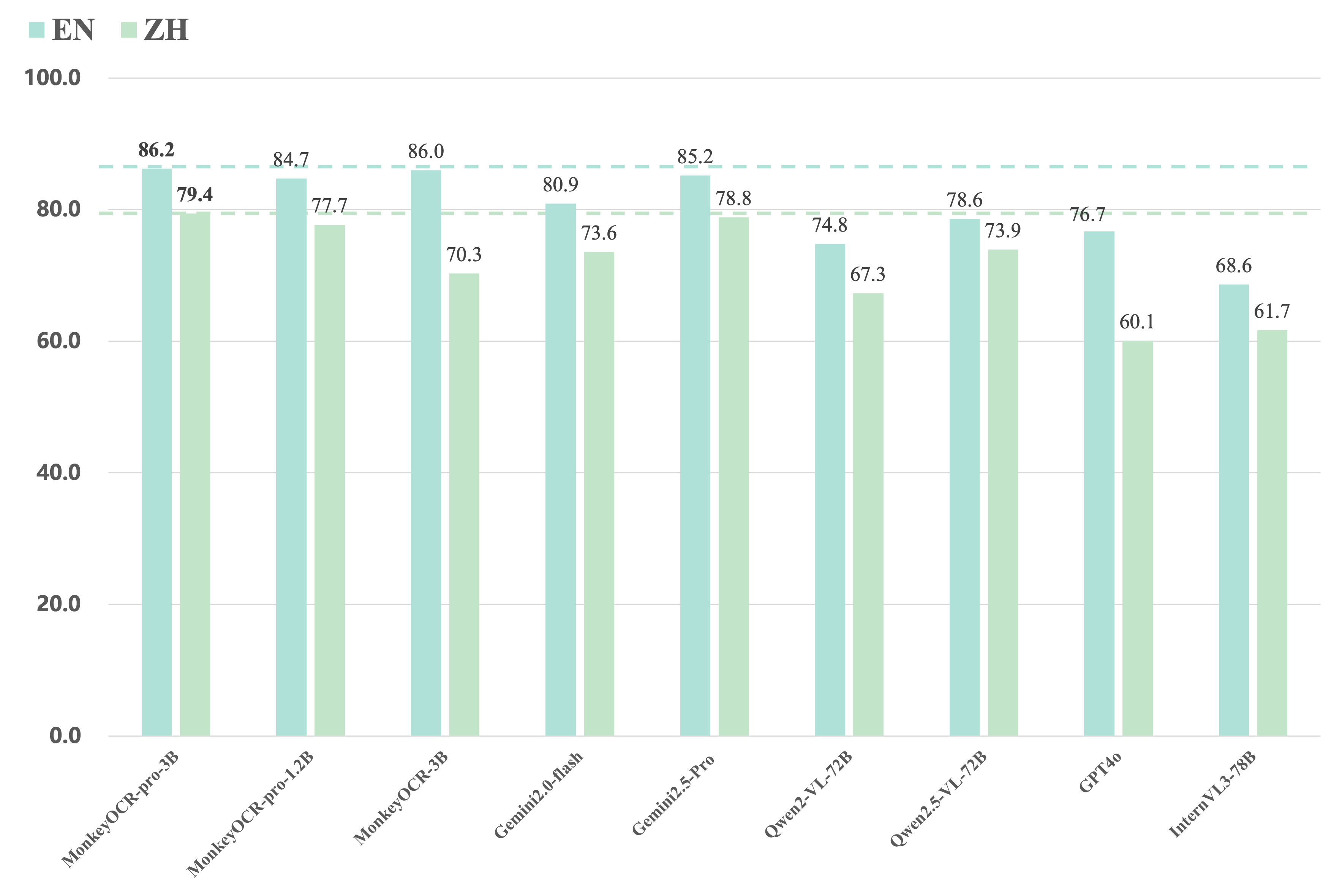
On OmniDocBench, MonkeyOCR-pro-3B achieves the best overall performance on both English and Chinese documents, outperforming even closed-source and extra-large open-source VLMs such as Gemini 2.0-Flash, Gemini 2.5-Pro, Qwen2.5-VL-72B, GPT-4o, and InternVL3-78B.
See detailed results below.
Comparing MonkeyOCR with closed-source and extra large open-source VLMs.
Inference Speed (Pages/s) on Different GPUs and PDF Page Counts
Model
GPU
50 Pages
100 Pages
300 Pages
500 Pages
1000 Pages
MonkeyOCR-pro-3B
3090
0.492
0.484
0.497
0.492
0.496
A6000
0.585
0.587
0.609
0.598
0.608
H800
0.923
0.768
0.897
0.930
0.891
4090
0.972
0.969
1.006
0.986
1.006
MonkeyOCR-pro-1.2B
3090
0.615
0.660
0.677
0.687
0.683
A6000
0.709
0.786
0.825
0.829
0.825
H800
0.965
1.082
1.101
1.145
1.015
4090
1.194
1.314
1.436
1.442
1.434
VLM OCR Speed (Pages/s) on Different GPUs and PDF Page Counts
Model
GPU
50 Pages
100 Pages
300 Pages
500 Pages
1000 Pages
MonkeyOCR-pro-3B
3090
0.705
0.680
0.711
0.700
0.724
A6000
0.885
0.860
0.915
0.892
0.934
H800
1.371
1.135
1.339
1.433
1.509
4090
1.321
1.300
1.384
1.343
1.410
MonkeyOCR-pro-1.2B
3090
0.919
1.086
1.166
1.182
1.199
A6000
1.177
1.361
1.506
1.525
1.569
H800
1.466
1.719
1.763
1.875
1.650
4090
1.759
1.987
2.260
2.345
2.415
Supported Hardware
Due to the limited types of GPUs available to us, we may not be able to provide highly accurate hardware specifications. We've tested the model on GPUs such as the 3090, 4090, A6000, H800, A100, and even the 4060 with 8GB of VRAM (suitable for deploying quantized 3B model and 1.2B model). We are very grateful for the feedback and contributions from the open-source community, who have also successfully run the model on 50-series GPUs, H200, L20, V100, 2080 Ti and npu.
News
2025.07.10 🚀 We release MonkeyOCR-pro-1.2B, — a leaner and faster version model that outperforms our previous 3B version in accuracy, speed, and efficiency.
2025.06.12 🚀 The model’s trending on Hugging Face. Thanks for the love!
2025.06.05 🚀 We release MonkeyOCR, an English and Chinese documents parsing model.
You can parse a file or a directory containing PDFs or images using the following commands:
bash
1# Replace input_path with the path to a PDF or image or directory23# End-to-end parsing4python parse.py input_path
56# Parse files in a dir with specific group page num7python parse.py input_path -g 2089# Single-task recognition (outputs markdown only)10python parse.py input_path -t text/formula/table
1112# Parse PDFs in input_path and split results by pages13python parse.py input_path -s
1415# Specify output directory and model config file16python parse.py input_path -o ./output -c config.yaml
More usage examples
bash
1# Single file processing2python parse.py input.pdf # Parse single PDF file3python parse.py input.pdf -o ./output # Parse with custom output dir4python parse.py input.pdf -s # Parse PDF with page splitting5python parse.py image.jpg # Parse single image file67# Single task recognition8python parse.py image.jpg -t text # Text recognition from image9python parse.py image.jpg -t formula # Formula recognition from image10python parse.py image.jpg -t table # Table recognition from image11python parse.py document.pdf -t text # Text recognition from all PDF pages1213# Folder processing (all files individually)14python parse.py /path/to/folder # Parse all files in folder15python parse.py /path/to/folder -s # Parse with page splitting16python parse.py /path/to/folder -t text # Single task recognition for all files1718# Multi-file grouping (batch processing by page count)19python parse.py /path/to/folder -g 5# Group files with max 5 total pages20python parse.py /path/to/folder -g 10 -s # Group files with page splitting21python parse.py /path/to/folder -g 8 -t text # Group files for single task recognition2223# Advanced configurations24python parse.py input.pdf -c model_configs.yaml # Custom model configuration25python parse.py /path/to/folder -g 15 -s -o ./out # Group files, split pages, custom output26python parse.py input.pdf --pred-abandon # Enable predicting abandon elements27 python parse.py /path/to/folder -g 10 -m # Group files and merge text blocks in output
Output Results
MonkeyOCR mainly generates three types of output files:
Processed Markdown File (your.md): The final parsed document content in markdown format, containing text, formulas, tables, and other structured elements.
Layout Results (your_layout.pdf): The layout results drawed on origin PDF.
Intermediate Block Results (your_middle.json): A JSON file containing detailed information about all detected blocks, including:
Block coordinates and positions
Block content and type information
Relationship information between blocks
These files provide both the final formatted output and detailed intermediate results for further analysis or processing.
You can start the MonkeyOCR FastAPI service with the following command:
uvicorn api.main:app --port 8000
Once the API service is running, you can access the API documentation at http://localhost:8000/docs to explore available endpoints.
[!TIP]
To improve API concurrency performance, consider configuring the inference backend as lmdeploy_queue or vllm_queue.
Docker Deployment
Navigate to the docker directory:
cd docker
Prerequisite: Ensure NVIDIA GPU support is available in Docker (via nvidia-docker2).
If GPU support is not enabled, run the following to set up the environment:
bash env.sh
Build the Docker image:
docker compose build monkeyocr
[!IMPORTANT]
If your GPU is from the 20/30/40-series, V100, L20/L40 or similar, please build the patched Docker image for LMDeploy compatibility:
docker compose build monkeyocr-fix
Otherwise, you may encounter the following error: triton.runtime.errors.OutOfResources: out of resource: shared memory
Run the container with the Gradio demo (accessible on port 7860):
docker compose up monkeyocr-demo
Alternatively, start an interactive development environment:
docker compose run --rm monkeyocr-dev
Run the FastAPI service (accessible on port 7861):
docker compose up monkeyocr-api
Once the API service is running, you can access the API documentation at http://localhost:7861/docs to explore available endpoints.
This model can be quantized using AWQ. Follow the instructions in the quantization guide.
Benchmark Results
Here are the evaluation results of our model on OmniDocBench. MonkeyOCR-3B uses DocLayoutYOLO as the structure detection model, while MonkeyOCR-3B* uses our trained structure detection model with improved Chinese performance.
1. The end-to-end evaluation results of different tasks.
Get a Quick Hands-On Experience with Our Demo: http://vlrlabmonkey.xyz:7685 (The latest model is available for selection)
Our demo is simple and easy to use:
Upload a PDF or image.
Click “Parse (解析)” to let the model perform structure detection, content recognition, and relationship prediction on the input document. The final output will be a markdown-formatted version of the document.
Select a prompt and click “Test by prompt” to let the model perform content recognition on the image based on the selected prompt.
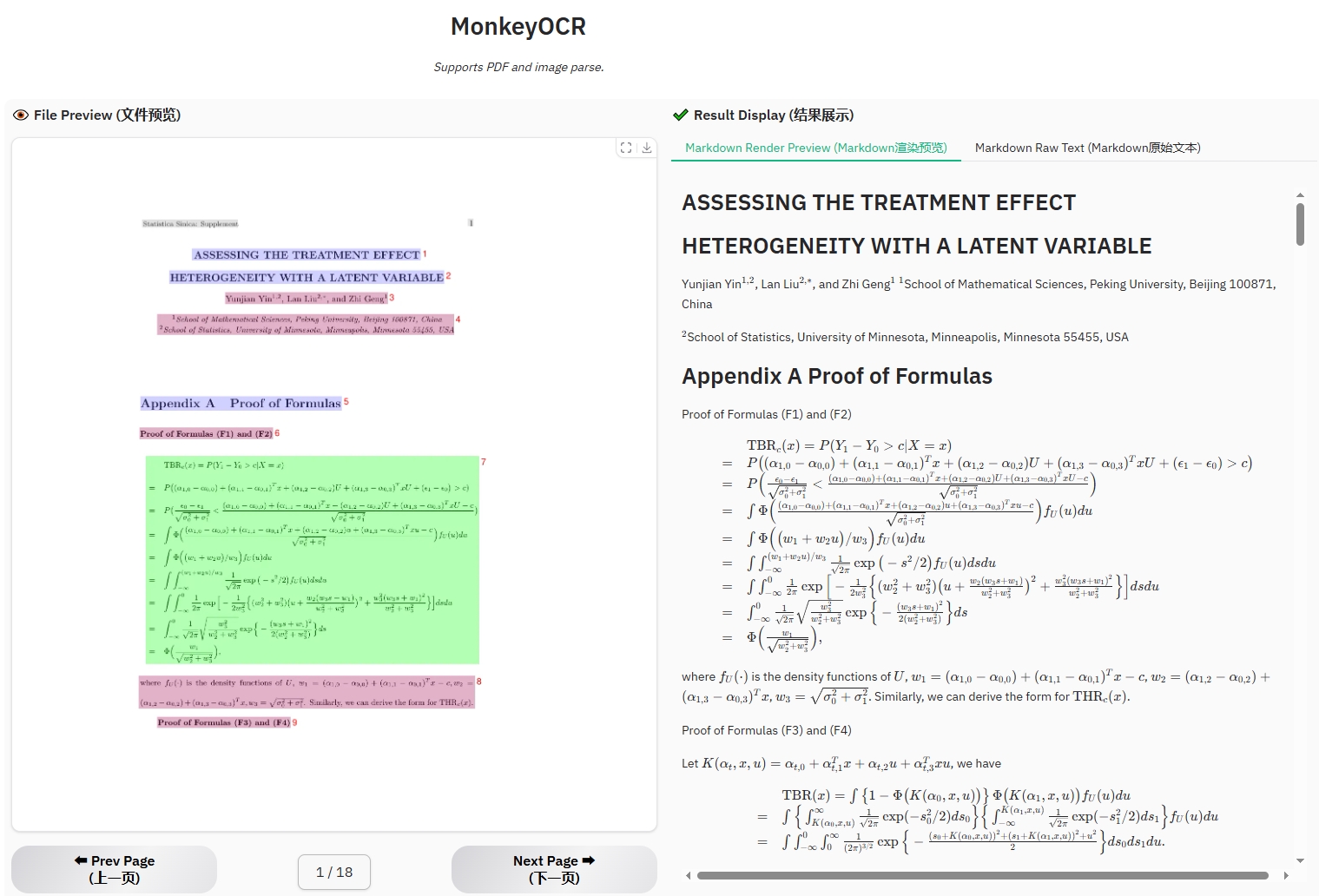
Example for formula document
7jVLgB.jpg
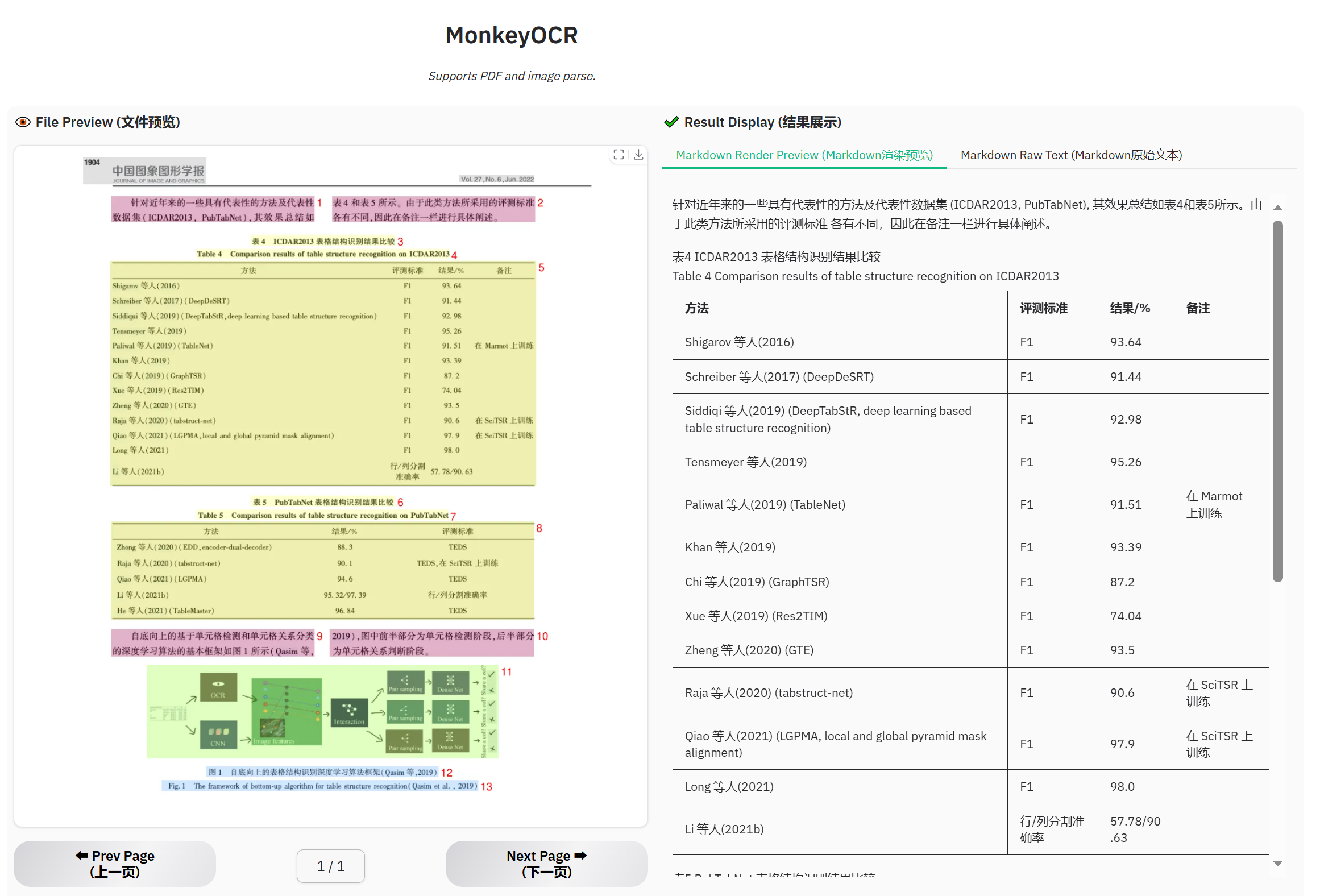
Example for table document
7jcOaa.png
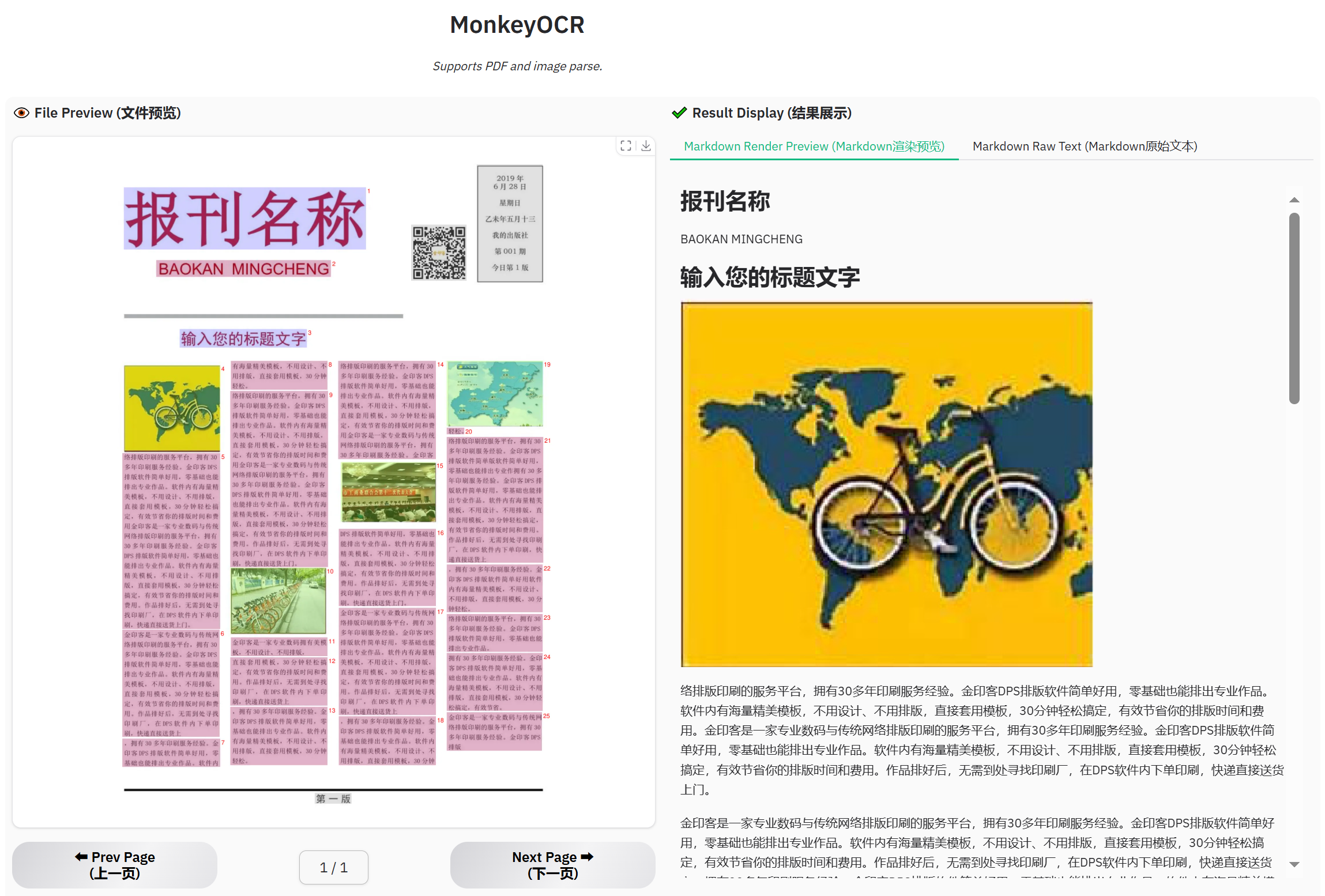
Example for newspaper
7jcP5V.png
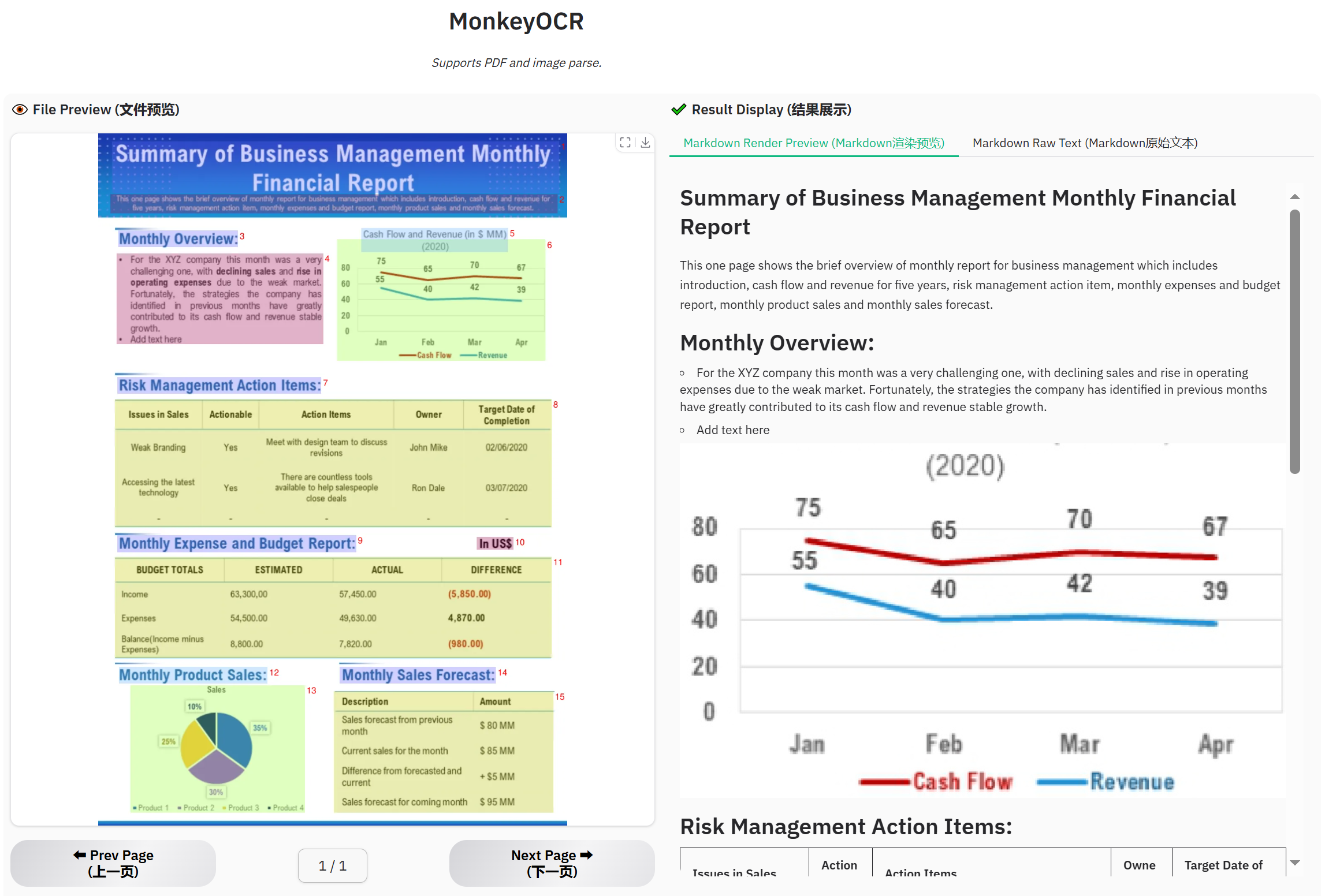
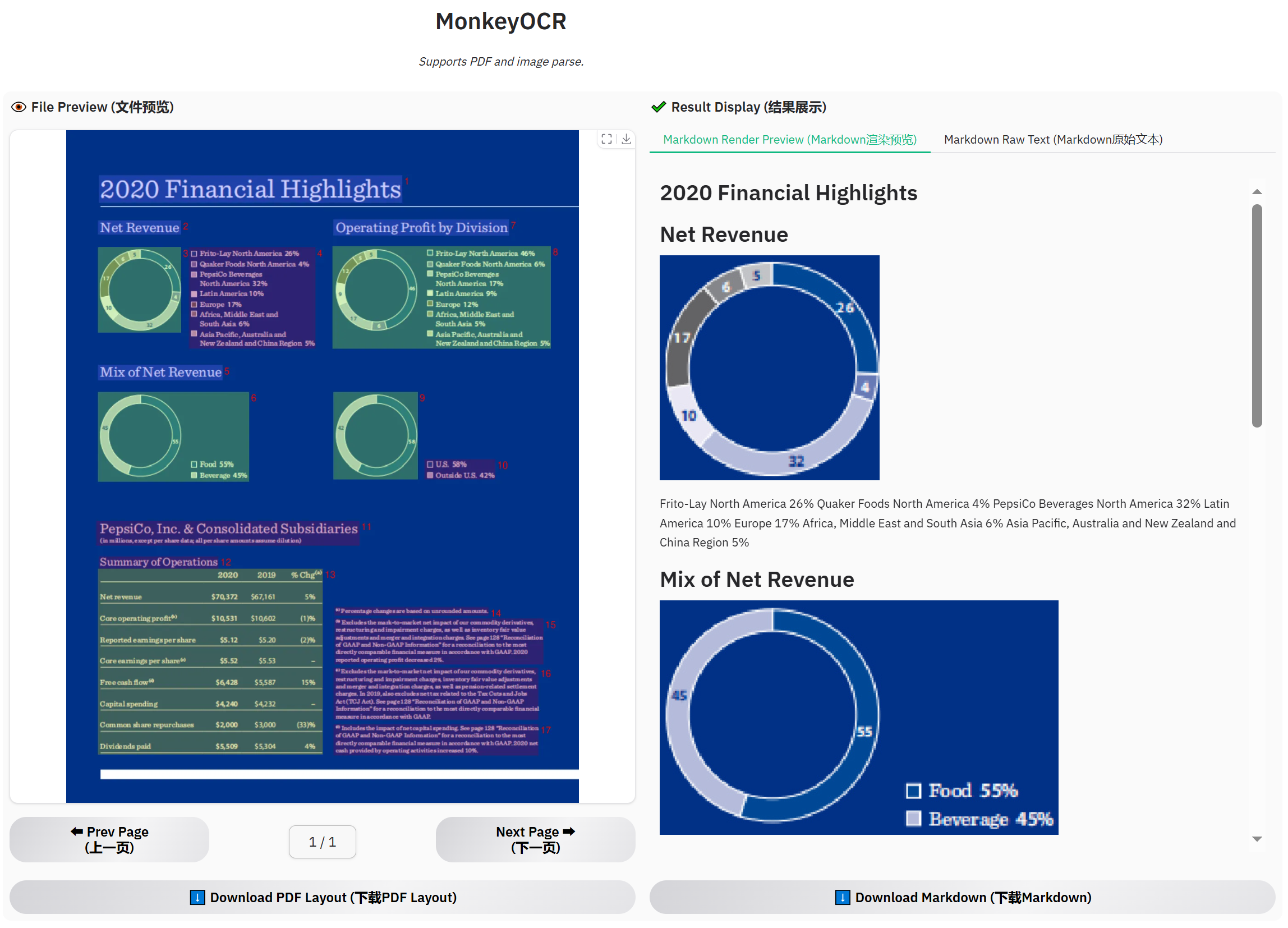
Example for financial report
7jc10I.png
7jcRCL.png
Citing MonkeyOCR
If you wish to refer to the baseline results published here, please use the following BibTeX entries:
BibTeX
1@misc{li2025monkeyocrdocumentparsingstructurerecognitionrelation,
2      title={MonkeyOCR: Document Parsing with a Structure-Recognition-Relation Triplet Paradigm},
3      author={Zhang Li and Yuliang Liu and Qiang Liu and Zhiyin Ma and Ziyang Zhang and Shuo Zhang and Zidun Guo and Jiarui Zhang and Xinyu Wang and Xiang Bai},
4      year={2025},
5      eprint={2506.05218},
6      archivePrefix={arXiv},
7      primaryClass={cs.CV},
8      url={https://arxiv.org/abs/2506.05218},
9}
Currently, MonkeyOCR do not yet fully support for photographed text, handwritten content, Traditional Chinese characters, or multilingual text. We plan to consider adding support for these features in future public releases. Additionally, our model is deployed on a single GPU, so if too many users upload files at the same time, issues like “This application is currently busy” may occur. The processing time shown on the demo page does not reflect computation time alone—it also includes result uploading and other overhead. During periods of high traffic, this time may be longer. The inference speeds of MonkeyOCR, MinerU, and Qwen2.5 VL-7B were measured on an H800 GPU.
Copyright
Please don’t hesitate to share your valuable feedback — it’s a key motivation that drives us to continuously improve our framework. Note: Our model is intended for academic research and non-commercial use only. If you are interested in faster (smaller) or stronger one, please contact us at xbai@hust.edu.cn or ylliu@hust.edu.cn.