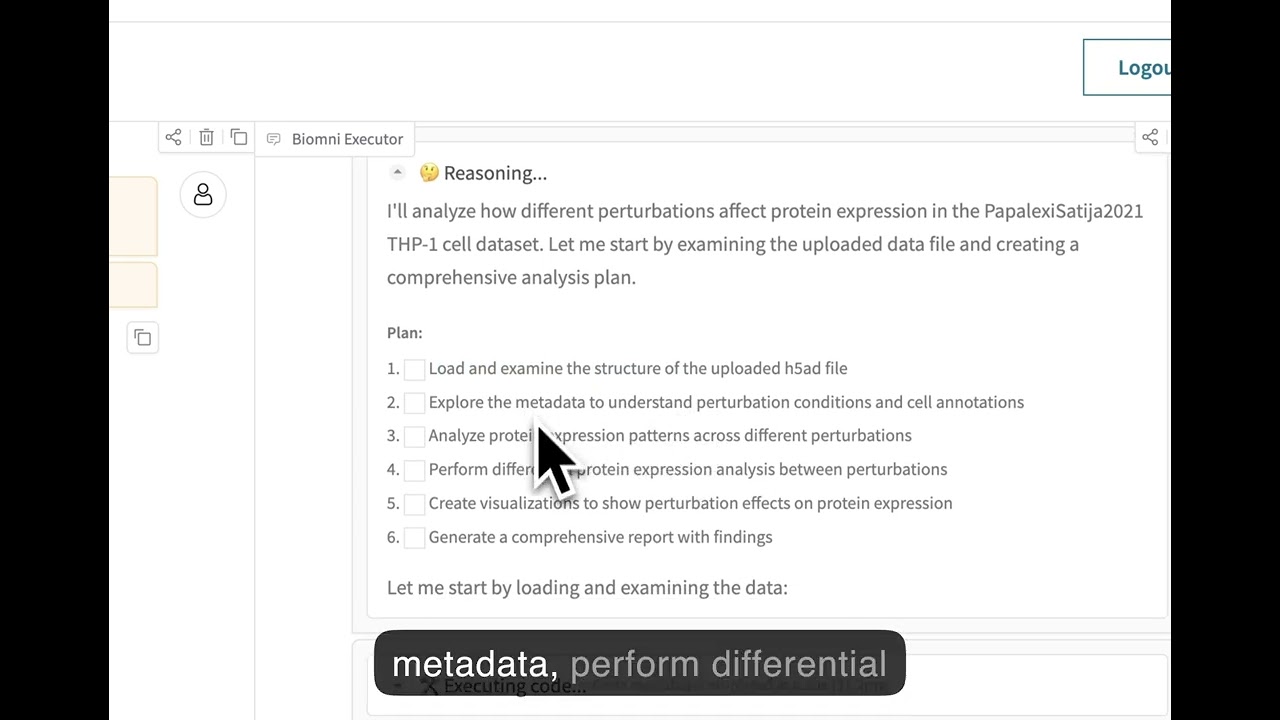
Biomni is a general-purpose biomedical AI agent designed to autonomously execute a wide range of research tasks across diverse biomedical subfields. By integrating cutting-edge large language model (LLM) reasoning with retrieval-augmented planning and code-based execution, Biomni helps scientists dramatically enhance research productivity and generate testable hypotheses.
Quick Start
Installation
Our software environment is massive and we provide a single setup.sh script to setup.
Follow this file to setup the env first.
Then activate the environment E1:
conda activate biomni_e1
then install the biomni official pip package:
pip install biomni --upgrade
For the latest update, install from the github source version, or do:
Lastly, configure your API keys using one of the following methods:
Click to expand
Option 1: Using .env file (Recommended)
Create a .env file in your project directory:
bash
1# Copy the example file2cp .env.example .env
34# Edit the .env file with your actual API keys
Your .env file should look like:
env
1# Required: Anthropic API Key for Claude models
2ANTHROPIC_API_KEY=your_anthropic_api_key_here
34# Optional: OpenAI API Key (if using OpenAI models)
5OPENAI_API_KEY=your_openai_api_key_here
67# Optional: Azure OpenAI API Key (if using Azure OpenAI models)
8OPENAI_API_KEY=your_azure_openai_api_key
9OPENAI_ENDPOINT=https://your-resource-name.openai.azure.com/
1011# Optional: AI Studio Gemini API Key (if using Gemini models)
12GEMINI_API_KEY=your_gemini_api_key_here
1314# Optional: groq API Key (if using groq as model provider)
15GROQ_API_KEY=your_groq_api_key_here
1617# Optional: Set the source of your LLM for example:
18#"OpenAI", "AzureOpenAI", "Anthropic", "Ollama", "Gemini", "Bedrock", "Groq", "Custom"
19LLM_SOURCE=your_LLM_source_here
2021# Optional: AWS Bedrock Configuration (if using AWS Bedrock models)
22AWS_BEARER_TOKEN_BEDROCK=your_bedrock_api_key_here
23AWS_REGION=us-east-1
2425# Optional: Custom model serving configuration
26# CUSTOM_MODEL_BASE_URL=http://localhost:8000/v1
27# CUSTOM_MODEL_API_KEY=your_custom_api_key_here
2829# Optional: Biomni data path (defaults to ./data)
30# BIOMNI_DATA_PATH=/path/to/your/data
3132# Optional: Timeout settings (defaults to 600 seconds)
33# BIOMNI_TIMEOUT_SECONDS=600
Option 2: Using shell environment variables
Alternatively, configure your API keys in bash profile ~/.bashrc:
bash
1exportANTHROPIC_API_KEY="YOUR_API_KEY"2exportOPENAI_API_KEY="YOUR_API_KEY"# optional if you just use Claude3exportOPENAI_ENDPOINT="https://your-resource-name.openai.azure.com/"# optional unless you are using Azure4exportAWS_BEARER_TOKEN_BEDROCK="YOUR_BEDROCK_API_KEY"# optional for AWS Bedrock models5exportAWS_REGION="us-east-1"# optional, defaults to us-east-1 for Bedrock6exportGEMINI_API_KEY="YOUR_GEMINI_API_KEY"#optional if you want to use a gemini model7exportGROQ_API_KEY="YOUR_GROQ_API_KEY"# Optional: set this to use models served by Groq8exportLLM_SOURCE="Groq"# Optional: set this to use models served by Groq910
⚠️ Known Package Conflicts
Some Python packages are not installed by default in the Biomni environment due to dependency conflicts. If you need these features, you must install the packages manually and may need to uncomment relevant code in the codebase. See the up-to-date list and details in docs/known_conflicts.md.
Basic Usage
Once inside the environment, you can start using Biomni:
python
1from biomni.agent import A1
23# Initialize the agent with data path, Data lake will be automatically downloaded on first run (~11GB)4agent = A1(path='./data', llm='claude-sonnet-4-20250514')56# Execute biomedical tasks using natural language7agent.go("Plan a CRISPR screen to identify genes that regulate T cell exhaustion, generate 32 genes that maximize the perturbation effect.")8agent.go("Perform scRNA-seq annotation at [PATH] and generate meaningful hypothesis")9agent.go("Predict ADMET properties for this compound: CC(C)CC1=CC=C(C=C1)C(C)C(=O)O")
Controlling Datalake Loading
By default, Biomni automatically downloads the datalake files (~11GB) when you create an agent. You can control this behavior:
Cases where you only need specific tools that don't require datalake files
If you plan on using Azure for your model, always prefix the model name with azure- (e.g. llm='azure-gpt-4o').
Note: Biomni's Gradio interface currently requires Gradio 5.x due to API changes in Gradio 6.0. If you have Gradio 6.x installed, you may need to downgrade.
Options:
share=True - Create a public shareable link
server_name="127.0.0.1" - Localhost only (default: "0.0.0.0")
The interface will be available at http://localhost:7860
Configuration Management
Biomni includes a centralized configuration system that provides flexible ways to manage settings. You can configure Biomni through environment variables, runtime modifications, or direct parameters.
python
1from biomni.config import default_config
2from biomni.agent import A1
34# RECOMMENDED: Modify global defaults for consistency5default_config.llm ="gpt-4"6default_config.timeout_seconds =120078# All agents AND database queries use these defaults9agent = A1()# Everything uses gpt-4, 1200s timeout
Note: Direct parameters to A1() only affect that agent's reasoning, not database queries. For consistent configuration across all operations, use default_config or environment variables.
1from biomni.agent import A1
23# Initialize agent4agent = A1(path='./data', llm='claude-sonnet-4-20250514')56# Run your task7agent.go("Your biomedical task here")89# Save conversation history as PDF10agent.save_conversation_history("my_analysis_results.pdf")
PDF Generation Dependencies:
Click to expand
For optimal PDF generation, install one of these packages:
bash
1# Option 1: WeasyPrint (recommended for best layout control)2# Conda environment (recommended)3conda install weasyprint
45# System installation6brew install weasyprint # macOS7aptinstall weasyprint # Linux89# See [WeasyPrint Installation Guide](https://doc.courtbouillon.org/weasyprint/stable/first_steps.html) for detailed instructions.1011# Option 2: markdown2pdf (Rust-based, fast and reliable)12# macOS:13brew install theiskaa/tap/markdown2pdf
1415# Windows/Linux (using Cargo):16cargo install markdown2pdf
1718# Or download prebuilt binaries from:19# https://github.com/theiskaa/markdown2pdf/releases/latest2021# Option 3: Pandoc (pip installation)22pip install pandoc
MCP (Model Context Protocol) Support
Biomni supports MCP servers for external tool integration:
python
1from biomni.agent import A1
23agent = A1()4agent.add_mcp(config_path="./mcp_config.yaml")5agent.go("Find FDA active ingredient information for ibuprofen")
Biomni-R0 is our first reasoning model for biology, built on Qwen-32B with reinforcement learning from agent interaction data. It's designed to excel at tool use, multi-step reasoning, and complex biological problem-solving through iterative self-correction.
To use Biomni-R0 for agent reasoning while keeping database queries on your usual provider (recommended), run a local SGLang server and pass the model to A1() directly.
Point the agent to your SGLang endpoint for reasoning:
python
1from biomni.config import default_config
2from biomni.agent import A1
34# Database queries (indexes, retrieval, etc.) use default_config5default_config.llm ="claude-3-5-sonnet-20241022"6default_config.source ="Anthropic"78# Agent reasoning uses Biomni-R0 served via SGLang (OpenAI-compatible API)9agent = A1(10 llm="biomni/Biomni-R0-32B-Preview",11 source="Custom",12 base_url="http://localhost:30000/v1",13 api_key="EMPTY",14)1516agent.go("Plan a CRISPR screen to identify genes regulating T cell exhaustion")
Biomni-Eval1
Biomni-Eval1 is a comprehensive evaluation benchmark for assessing biological reasoning capabilities across diverse tasks. It contains 433 instances spanning 10 biological reasoning tasks, from gene identification to disease diagnosis.
Biomni includes a Know-How Library — a curated collection of best practices, protocols, and troubleshooting guides for biomedical techniques. These documents are automatically retrieved by the A1 agent when relevant to provide domain expertise and practical knowledge.
Know-how documents should be practical, succinct, and include proper attribution. Use this know-how as an example.
To contribute: Create a markdown file following our template and submit a pull request.
🤝 Contributing to Biomni
Biomni is an open-science initiative that thrives on community contributions. We welcome:
🔧 New Tools: Specialized analysis functions and algorithms
📊 Datasets: Curated biomedical data and knowledge bases
💻 Software: Integration of existing biomedical software packages
📋 Benchmarks: Evaluation datasets and performance metrics
📚 Know-How: Best practices, protocols, and domain expertise
📚 Misc: Tutorials, examples, and use cases
🔧 Update existing tools: many current tools are not optimized - fix and replacements are welcome!
Check out this Contributing Guide on how to contribute to the Biomni ecosystem.
If you have particular tool/database/software in mind that you want to add, you can also submit to this form and the biomni team will implement them.
🔬 Call for Contributors: Help Build Biomni-E2
Biomni-E1 only scratches the surface of what’s possible in the biomedical action space.
Now, we’re building Biomni-E2 — a next-generation environment developed with and for the community.
We believe that by collaboratively defining and curating a shared library of standard biomedical actions, we can accelerate science for everyone.
Join us in shaping the future of biomedical AI agent.
Contributors with significant impact (e.g., 10+ significant & integrated tool contributions or equivalent) will be invited as co-authors on our upcoming paper in a top-tier journal or conference.
All contributors will be acknowledged in our publications.
Security warning: Currently, Biomni executes LLM-generated code with full system privileges. If you want to use it in production, please use in isolated/sandboxed environments. The agent can access files, network, and system commands. Be careful with sensitive data or credentials.
This release was frozen as of April 15 2025, so it differs from the current web platform.
Biomni itself is Apache 2.0-licensed, but certain integrated tools, databases, or software may carry more restrictive commercial licenses. Review each component carefully before any commercial use.
Cite Us
@article{huang2025biomni,
  title={Biomni: A General-Purpose Biomedical AI Agent},
  author={Huang, Kexin and Zhang, Serena and Wang, Hanchen and Qu, Yuanhao and Lu, Yingzhou and Roohani, Yusuf and Li, Ryan and Qiu, Lin and Zhang, Junze and Di, Yin and others},
  journal={bioRxiv},
  pages={2025--05},
  year={2025},
  publisher={Cold Spring Harbor Laboratory}
}