This experimental LoRA was trained on very little data, without adequate
regularization, and at a rank that is low for the number and complexity of
its tasks. Training a new LoRA for your specific goal is recommended.
An image-edit-capable base model should produce better results when trained
on fixed-integer-upscaled pixel art with consistent trigger words and a
deliberate mixture of text-to-image and image-edit examples.
An experimental rank-16 LoRA for editing female LPC characters and 4×2
walking sprite sheets with FLUX.2 [klein] Base 9B.
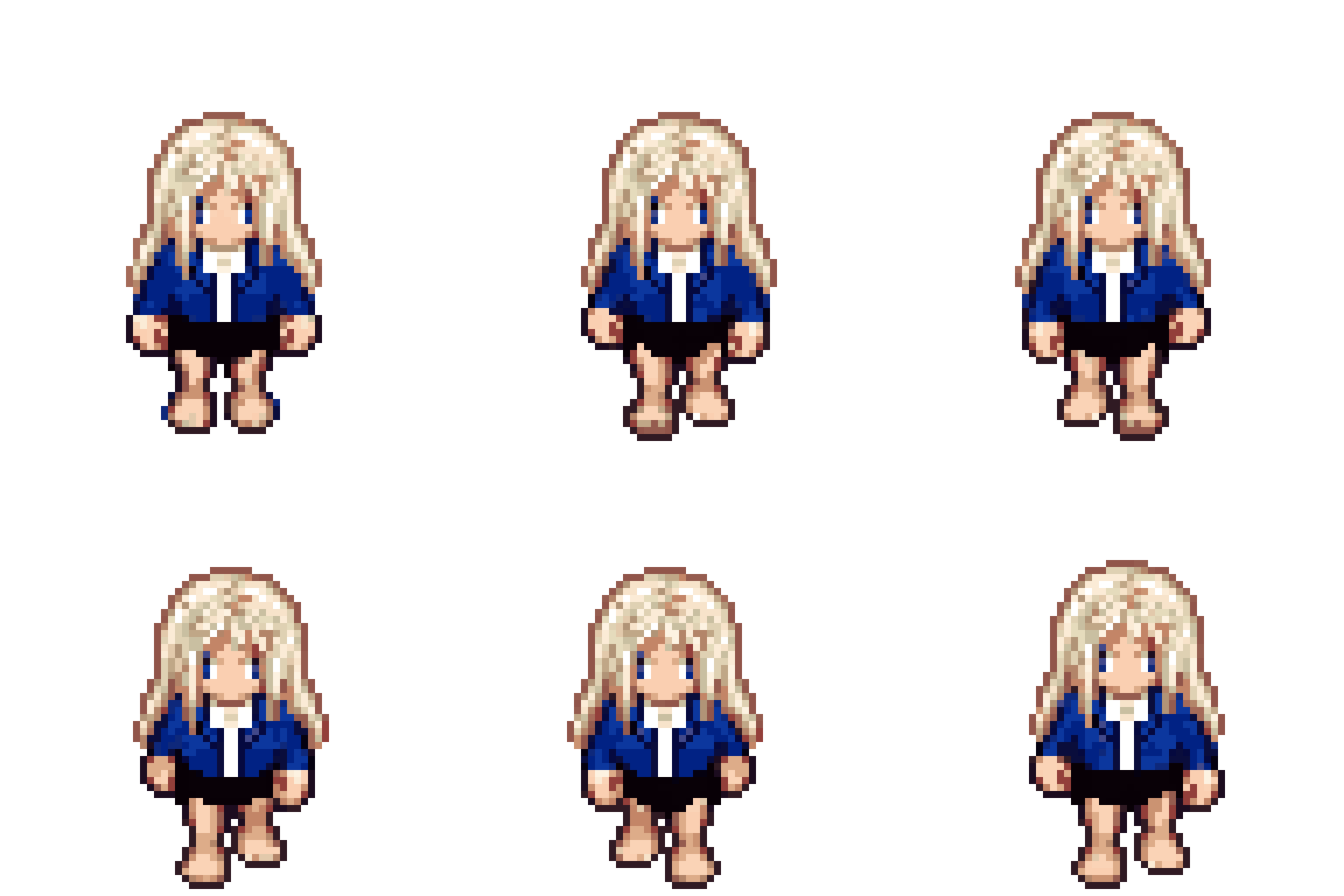
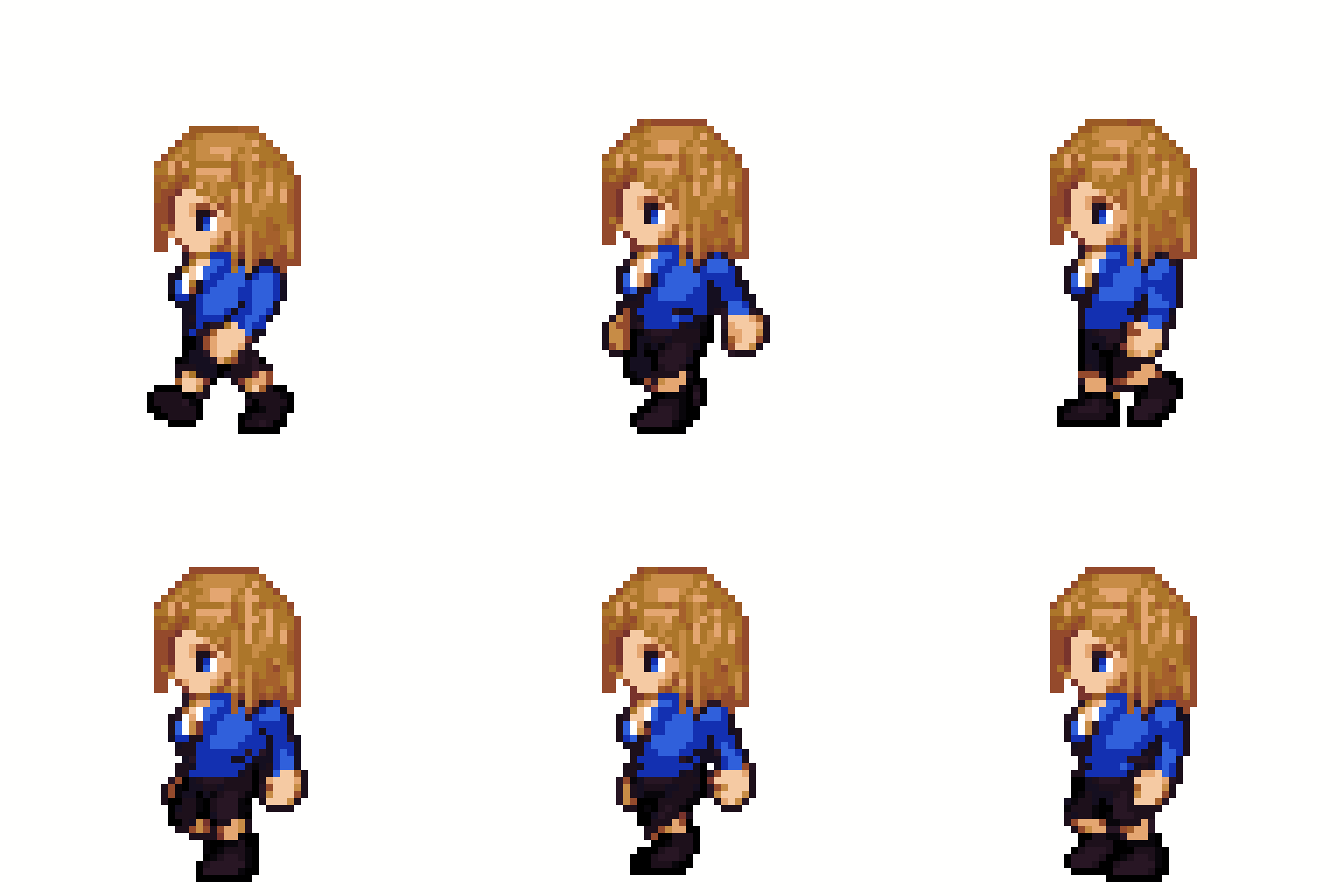
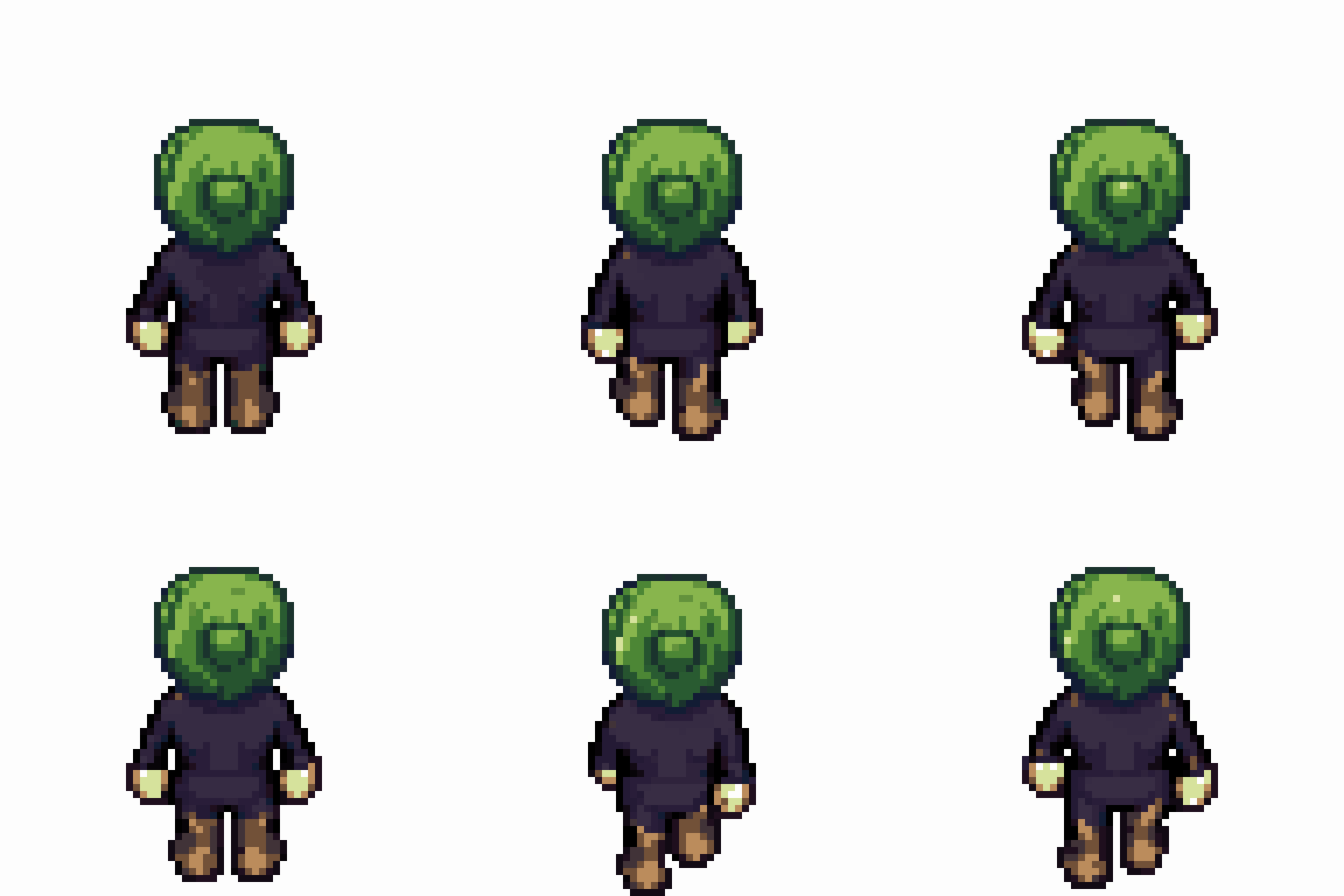
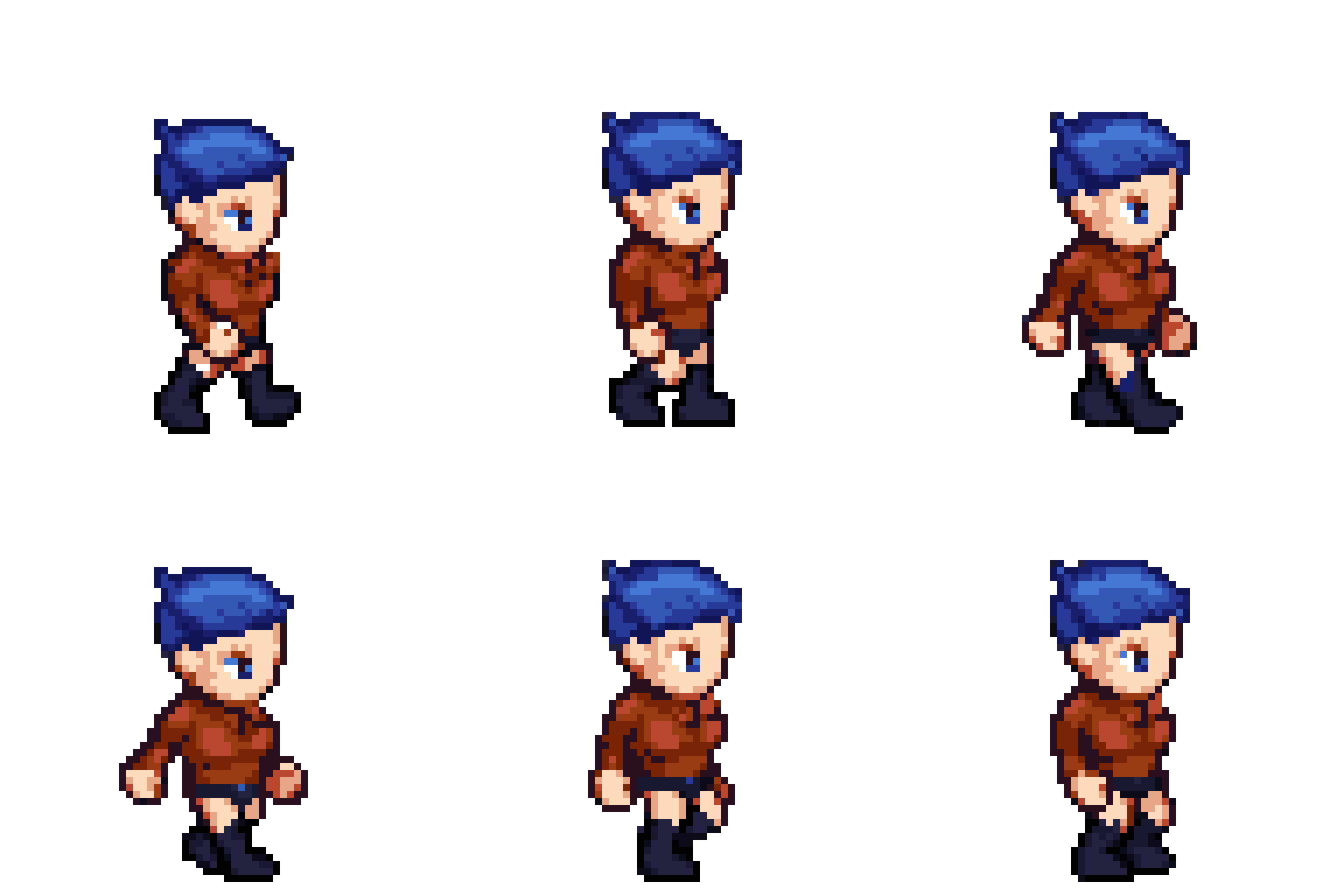
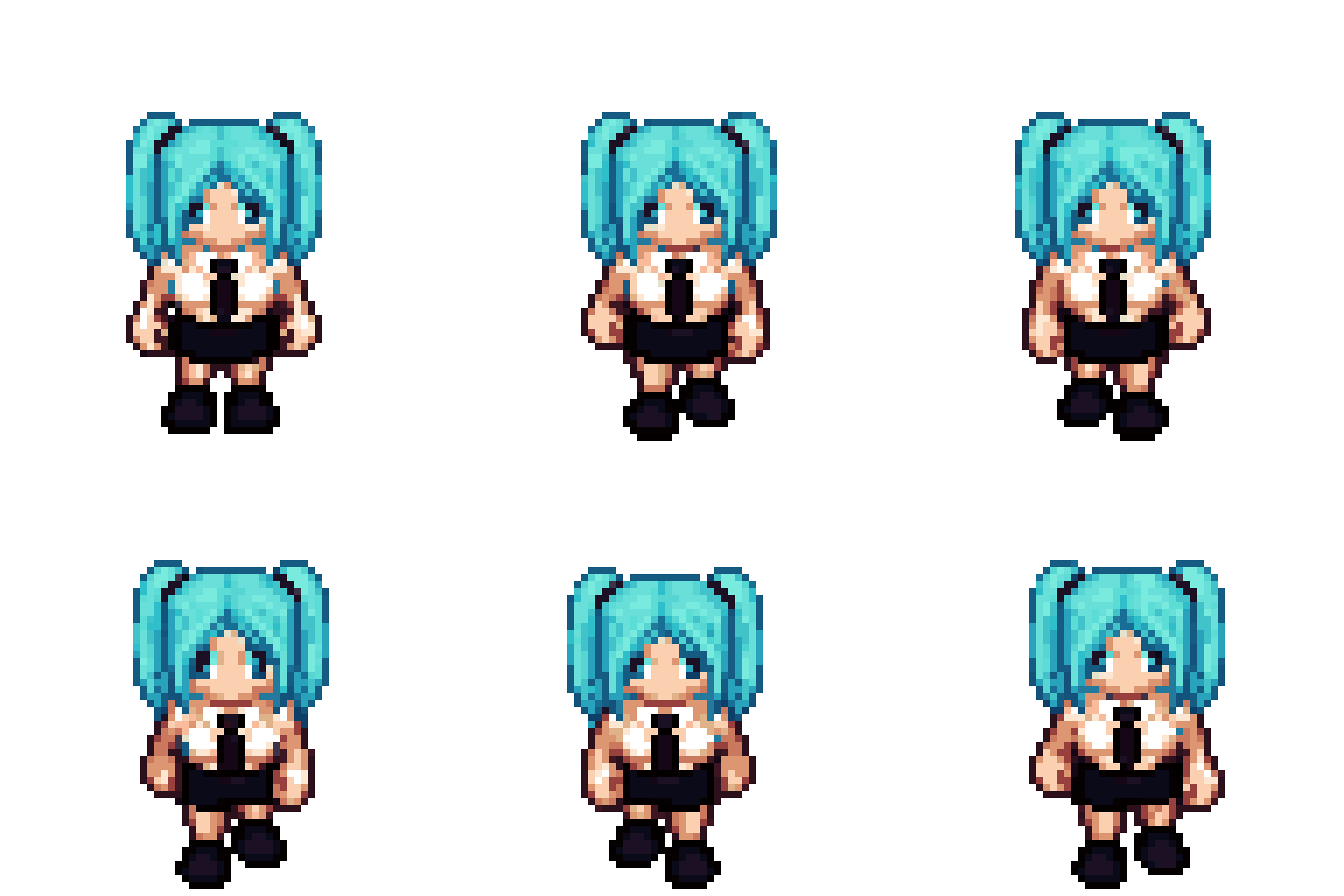
These GIFs are direct GUI exports. Samples 1, 2, and 5 contain 24 frames;
samples 3 and 4 contain one 8-frame walking cycle.
Outputs may be inconsistent, as samples 2–4 demonstrate. Poorly written
training captions made this LoRA highly prompt-sensitive, so small prompt
changes can produce results that are difficult to predict.
Sample 1
Sample 2
Sample 3
Blonde character walking south
Brown-haired character walking west
Green-headed character walking north
Sample 4
Sample 5
Blue-haired character walking east
Mint-twintail character walking south
Supported tasks
Task token
Input
Output
TASK_ROTATE_STANDING
South-facing dressed character
Same character facing north, east, or west
TASK_STANDING_TO_WALK_FIRST_FRAME
Standing character
First walking frame in the same direction
TASK_PROPAGATE_APPEARANCE
4×2 sheet with frame 1 dressed
The same appearance applied to frames 2–8
TASK_DRESS_WALK_SHEET
Female base 4×2 walk sheet
All eight frames dressed from a text description
TASK_DRESS_STANDING
South-facing female base
Standing character dressed from a text description
Use the exact task token and sentence structure used during training:
TASK_ROTATE_STANDING: Turn the south-facing standing female LPC character to face north. Preserve the exact hairstyle, hair color, clothing, shoes and accessories. Keep the character centered on a pure white background.
TASK_STANDING_TO_WALK_FIRST_FRAME: Convert this west-facing standing LPC character into the first frame of the west-facing walking animation. Preserve the exact appearance and pure white background.
TASK_PROPAGATE_APPEARANCE: Use frame 1 as the appearance reference. Apply exactly the same hairstyle, hair color, clothing, shoes and accessories to frames 2 through 8. Preserve every walking pose, frame order, 4 by 2 layout and pure white background.
TASK_DRESS_WALK_SHEET: Dress the female LPC character in all 8 east-facing walking frames with blue bob hair, a red long-sleeve shirt, navy pants, brown boots, and gold glasses. Preserve every pose, frame order, 4 by 2 layout and pure white background.
TASK_DRESS_STANDING: Dress the south-facing standing female LPC character with blue bob hair, a red long-sleeve shirt, navy pants, brown boots, and gold glasses. Preserve the pose and pure white background.
ComfyUI model file: flux-2-klein-base-9b-fp8.safetensors
LoRA strength: 1.2
Steps: 11
Known-good seed: 981958406821486
CFG: 3.5
PAG: 1.5
Sampler: Euler
Standing tasks: 1024×1024
4×2 sheet tasks: 2048×1024
Background: white
ComfyUI workflow
The workflow uses only ComfyUI core nodes and has been tested on Comfy Cloud.
Because the LoRA is undertrained, using it with PAG is recommended. A LoRA
strength of 1.2 can produce better results than 1.0 for the same reason;
these values are starting points rather than guarantees.
The included Korean-language Gradio workbench turns the five trained tasks
into a guided character-production flow. It works with Comfy Cloud or a local
ComfyUI server.
The API key is read at runtime and is not written to the repository or output
files.
Use the virtual-environment commands above even if Anaconda base is active.
Gradio 5.x imports the removed huggingface_hub.HfFolder API and is not
supported by this GUI.
Guided workflow
Quick build: dress the bundled standing base, create selected standing
directions, and build each direction's 4×2 walking sheet stage by stage.
Run-all is a separate action and shows its Comfy job count first. Each stage
can be regenerated immediately with a new recorded seed.
LoRA strength: the always-visible shared slider applies 0–1.5 to
every generation task; 0 disables the LoRA and 1.2 is the default.
Standing: upload a character or start from the bundled female LPC base,
then create a dressed standing proof and its 32-color palette.
Directions: inspect north, west, south, and east standing results on one
turnaround board. Up to four direction jobs run concurrently, and each
result appears as soon as it finishes.
Walking: create a first walking frame from the standing-character
latent at 0.9 denoise, without blending in a base-walk latent. Insert that
frame into the matching bundled 4×2 pose base, then propagate the appearance
to all eight frames. Each completed sheet gets an immediate looping
animation preview.
Dressing: character-design tasks use the supplied LPC base latent at
0.9 denoise. Other tasks use an empty latent at full denoise.
Stage handoff: every generated image is flattened onto pure white before
reuse. Colors clearly present in both the input and output are softly
matched; newly introduced design colors remain available.
Pixel and palette: snap to native LPC pixels, align 4×2 foot anchors,
lock or rebuild a 32-color palette, and export indexed PNG or GIF.
Results and settings: review local session outputs, test the Comfy
connection, tune generation settings, or access the exact English task
prompts in the advanced single-task panel.
Generated files are saved under the ignored local outputs/ directory. The
bundled bases match the fixed feminine thin body and head used during training;
other body types are outside this toy model's supported scope.
Pixel and palette output
The GUI includes deterministic sprite post-processing:
Lock reference palette: maps every output pixel to the nearest color in
the input image or an optional shared palette-reference image. Select the
same reference for north, south, east, and west to keep one palette across
all directions.
Allow new colors (32): builds a new adaptive 32-color palette from the
generated result. Use this when the prompt adds hair, clothing, or
accessories whose colors are absent from the base.
Align 4×2 frames: detects the white background and aligns each
generated frame's foot anchor with the corresponding input frame on the
native 64×64 logical grid.
Pixel snap: uses
perfectPixel to detect and
refine each of the eight frames separately. Each native frame is fitted
back to its generated source by a small nearest-neighbor scale and position
search before the sheet is reassembled.
Shared direction palette: once every selected direction is complete,
one 32-color palette is calculated from all completed images and applied
back to every direction without dithering.
Resolution: returns either native 64×64 single frames /
256×128 4×2 sheets or exact 1024×1024 /
2048×1024 nearest-neighbor upscaled output.
Output: returns an indexed PNG sheet or a 24-frame looping GIF. The
eight row-major sheet frames repeat three times.
Both palette modes write a 32-entry indexed palette without dithering. The
background remains white.
Verified Comfy Cloud examples
Task
Input
Output
Dress standing character
Standing input
Standing output
Propagate frame 1 appearance
Propagation input
Propagation output
Files
LPC_FourDirection_Walk.safetensors: original fal/PEFT format
Use the original file with fal. Use the _ComfyUI file with ComfyUI. The
conversion only renames the fal PEFT prefix base_model.model. to ComfyUI's
FLUX model prefix diffusion_model.; tensor values are unchanged. The
reproducible converter is included as convert_fal_lora_to_comfy.py.
Limitations
This is a toy-project LoRA trained on one female LPC body type. It may alter
silhouettes, frame spacing, or poses, especially for appearances outside the
training distribution. Generated sheets are not guaranteed to be
pixel-perfect and may need alignment or nearest-neighbor cleanup.
License and attribution
The weights are a derivative of FLUX.2 [klein] Base 9B and are distributed
under the FLUX Non-Commercial License v2.1. Read LICENSE.md and NOTICE
before downloading or using them. Commercial or production use of the model
requires appropriate permission from Black Forest Labs.
Training assets are derived from
ElizaWy/LPC and retain their respective LPC
asset licenses and attribution requirements. See THIRD_PARTY_NOTICES.txt.
This project is not affiliated with or endorsed by Black Forest Labs or the
LPC contributors.